
For handymen and home repair
A handyman website that turns small jobs into a full week.
Every job you take on listed on its own, with a starting price if you publish one. Quote requests that arrive with photos of the problem, and the towns you cover clear at a glance. Then the reminder, the review and the call back next time something breaks.
- Every job listed, with starting prices if you publish them
- Quote forms that take photos of the job
- A page for each town you cover
- Every enquiry in one inbox
Where the work goes
Five ways a handyman loses jobs that were there for the taking.
Small jobs are won by whoever answers first and looks like they do that exact thing. Each of these is a moment when someone needed a hand and went elsewhere.
"Can you have a quick look at…" could mean ten minutes or two days.
Your quote form asks what you need to know: what the job is, which room, how urgent, whether they have the parts. They attach photos of the problem straight from their phone, and the pictures arrive with the enquiry.
Quote formsPeople hire you for shelves and never find out you hang doors.
Every job you do gets its own line or its own page: door and lock repairs, flat-pack assembly, TV and shelf mounting, drywall patches, gutter clearing, small painting jobs. Add a starting price and a typical time if you publish them, and change them whenever you like.
Service pagesHalf the calls come from towns you do not cover.
Ask for a page for each town you work in, and a "do you cover my area?" check where visitors type their ZIP or postcode and get a straight yes or no. People outside your area can leave their details in case you expand.
Town pages and area checkThe phone rings while you are up a ladder.
The chat on your site answers from your own pages: what you do, where you go, how you charge. With the Voice Agent add-on, your business number is answered too, a callback is taken or a slot is booked, and you get a summary when you climb down.
Chat and Voice AgentThe customer who had you round four times last year has forgotten your name.
Every customer is kept as a contact, tagged by the jobs you did. Send a gutter-clearing reminder in autumn to everyone tagged outdoor work. Mark a job complete and they can be asked for a Google review. Follow-ups are saved switched off until you read them; texts go only to people who opted in, with the SMS add-on.
Repeat customers and reviewsOne job, start to finish
What happens when the door has stuck for the last time on a Saturday morning.
Each step is something Mondovo does today. The customer and the jobs are made up.
- Sat 09:05Town page
Found
They search for a handyman in their town and land on your page for that town.
- 09:09Quote form
Quote requested
Three jobs on one form: a sticking door, a curtain rail and a wobbly shelf, with two photos from their phone.
- 09:09Inbox and alerts
You hear about it
It lands in your inbox as a contact, photos included, and in your team channel if you want it there.
- 11:30Bookings
Slot booked
You reply with a price, and they pick a two-hour slot from your real availability.
- Tue 07:00Reminders
Reminded
You get the day's jobs by email. They get a reminder an hour before, by text if you add SMS.
- Tue 12:10Review request
Asked for a review
All three jobs done. You mark it complete and a link to your Google review page goes to the customer.
- The next daySocial posts
Posted
Your before and after photos of the door become a post for Facebook and Instagram, written for you. It goes out when you schedule it.
- October
Called back
A gutter-clearing email goes to everyone tagged outdoor work, from your own domain, once you have read and switched it on.
Illustration using a demo business. Not a customer.
Behind the site
The website, and everything a handyman business runs on it.
One account and one login. Here is what comes with a live site, what is an add-on, and what uses credits.
- Included
- Comes with every live site on Pro.
- Add-on
- A per-site extra you switch on in Billing.
- Credits
- Creative Studio work, priced before it is made.
Get found
Catch the job
Keep the customer
Stay busy
Change it any way you like
Edit the site between jobs, from the van.
No developer and no waiting. Add a job when you start offering it, drop one when you stop. Every change is kept, so anything can be put back.
- In the editorClick the text and type. Swap a photo. Change a starting price.
- By asking in the dashboardSay it in a sentence, like "add a page for fence repairs in Westerville", and it is done.
- Out loudDictate a change, or talk it through, on the way to the next job.
- On WhatsAppMessage Mondovo, send the before and after photos, and approve the change with a tap.
- Slack, Teams, Discord or Google ChatNew quote requests and bookings posted to your team's channel. In Slack, confirm a booking or ask Mondovo a question.
- Claude or ChatGPTConnect Mondovo to the assistant you already use and ask for the page, the post or the email.
What is on your handyman site
What a good handyman website has. Yours starts with all of it.
Drafted from a few sentences about the work you do. You read the plan for every page before anything is designed, and change what is wrong.
Use your own photographs of the work. A generated picture of a perfect kitchen you never fitted is a promise you will have to explain on the doorstep.
- A number you can tap to call, at the top of every page
- Every job you take on: repairs, assembly, mounting, painting, odd jobs
- Starting prices or an hourly rate, if you publish them
- Whether there is a minimum charge or a call-out fee
- The towns and ZIP or postcodes you cover
- A quote form that takes photos of the job
- Online booking for small jobs and estimate visits
- Before and after photos of your own work
- Your insurance and any licence your area asks for
- Reviews from your customers
- A chat that answers while you are on a job
- Questions people ask: do you bring materials, how you charge, whether a job is too small
Three looks
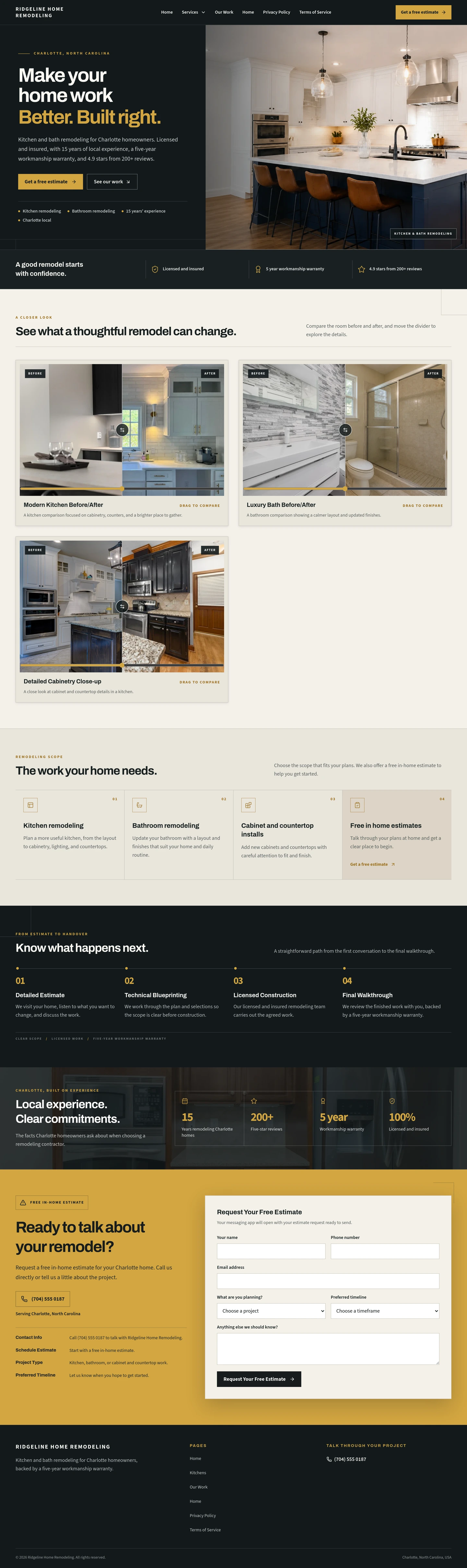
Real home-repair sites, each built from a few sentences.
Each round gives you three complete versions from one content plan. Same pages and words; only the look changes. A site can hold up to ten, and you choose which one is live.
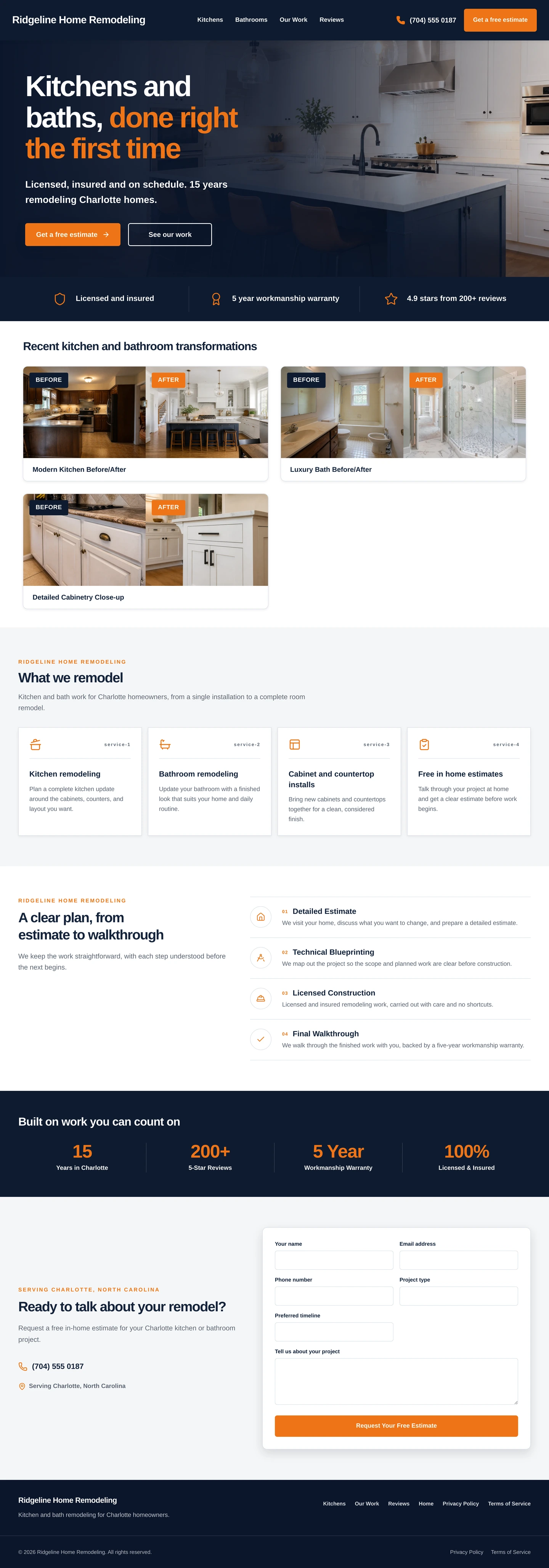
Navy, orange buttons, the promise in the headline.
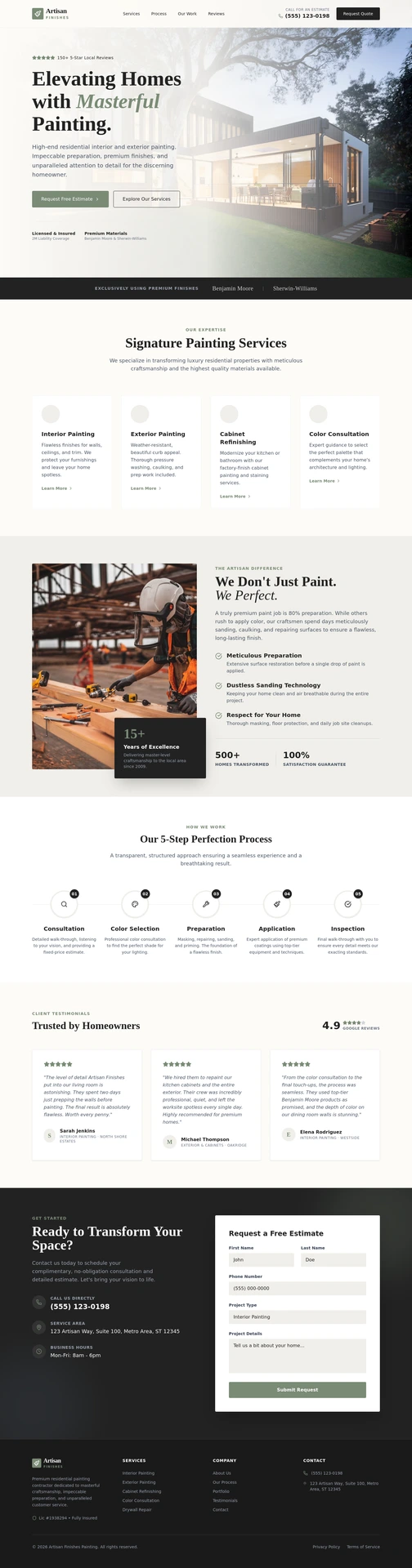
Cream and sage, a serif headline, a free estimate up front.
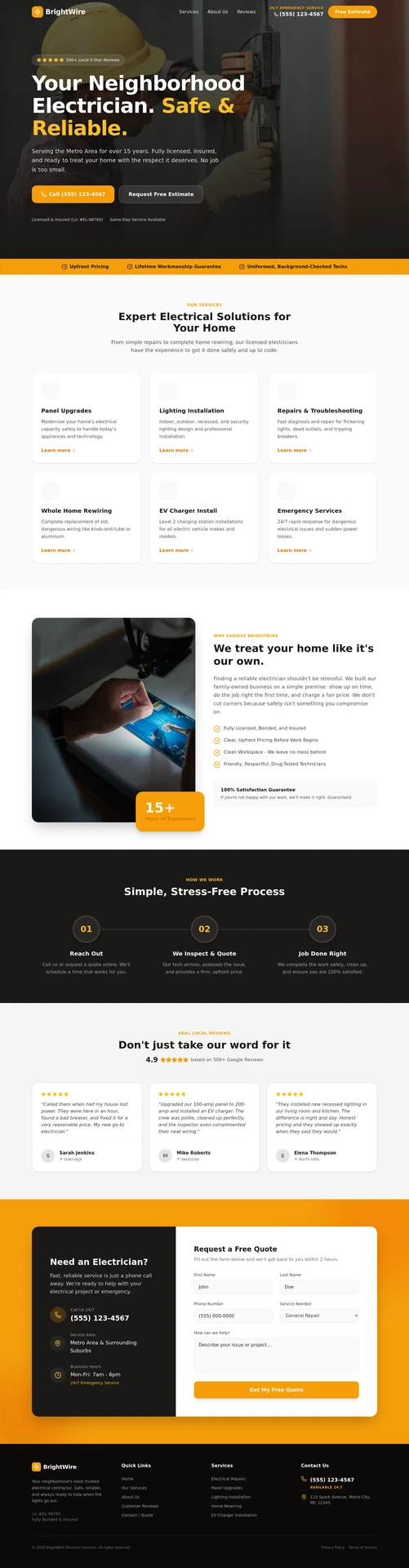
Dark photo, yellow type, call and quote buttons first.
Real generated sites for three invented home-repair firms, a remodeller, a painter and an electrician, shown as demonstrations rather than customers. A handyman site is built the same way, from your own description.
See more in the galleryBeing straight with you
What it does not do.
It does not price jobs
No estimating software. Quote requests arrive with the details and photos you ask for; the price stays with you.
It does not run your day
Route planning, invoices and materials lists stay where they are now. Bookings take the time slot, not the van.
It answers calls, it does not make them
The Voice Agent answers incoming calls and takes callbacks. It does not ring customers or transfer a live call.
What it costs
Build free. Go live with Pro.
Pro is one price per live site, per month, shown in your currency on the pricing page.
- Building, designs and previews
- Free
- Going live, hosting, SSL
- Pro
- Quote forms, bookings, chat, inbox
- Included
- Pages, visitors, enquiries
- Not counted
- Voice Agent, text messages
- Per-site add-ons
- Logos, graphics, video
- Credits
Editing the site, by hand, by chat or by voice, never uses credits. Your phone provider bills you directly for the number and call minutes.
See pricing for your countryQuestions
Asked between jobs.
I do not have time to build a website.
Describe the business in a few sentences: the jobs you do, the towns you cover, how long you have done it. A complete site is drafted from that, and you read a plan of each page before anything is designed.
Should I put prices on my site?
That is up to you. Each job can show a starting price, an hourly rate or nothing at all, and you can change them whenever you like. Prices you publish help people decide whether to ask, and the quote form covers the rest.
Can customers send me photos of the job?
Yes. Your quote form can ask for photos, and people attach them from their phone. The pictures arrive with the enquiry in your inbox, next to everything else you asked.
How do people know whether I cover their town?
Ask for a page for each town you work in, and add an area check where visitors type their ZIP or postcode and get a yes or no. People outside your area can leave their details.
Can it answer my phone while I am on a job?
Yes, with the Voice Agent add-on. Point your Twilio, Plivo or Exotel number at your site and it answers from what your site says, books a slot or takes a callback, and saves the caller. You can talk to it in your browser before you connect a number.
I already have a site.
Give it the address. The pages and words come across, and the design is rebuilt around them. You see what it found before anything is generated.
Your business
Say what jobs you do and which towns you cover.
Building and trying designs is free, and nothing is public until you say so.
Bigger builds and renovations? See trades and construction