
Migrate from WordPress
Move off WordPress with the pages and posts intact.
Paste the address of the WordPress site. Mondovo reads it, brings the pages and posts across, and shows you everything it found before a single design is generated. Three complete designs are then built on that content, and none of it costs anything until you publish. What does not come across is set out at the same size as what does.
Free plan available. No credit card required.
How the move works
Five steps, and the third one is the important one.
Nothing is installed on the client's WordPress site and nothing about it changes while you work. The whole thing happens on a draft.
- Step one
Paste the address
Give Mondovo the address of the client's WordPress site. There is nothing to install on it, no access to request, and no downtime to schedule.
- Step two
It reads the site
Pages and posts come across, with their structure and the content on them. This is an import of content, not a copy of the installation.
- Step three
You review what it found — before any design exists
Every page and every piece of content the import read is on screen for you to correct, cut, or add to. No design has been generated at this point, so nothing has been invented behind your back and nothing is fixed.
- Step four
Three designs are generated on that content
From the content plan you have just signed off, so all three carry the client's own words. Up to ten designs can live on the site, and making a different one live is a switch rather than a rebuild.
- Step five
You publish when you are ready
Drafts cost nothing. A live site is Loading pricing… a month with the custom domain, hosting and SSL included, and the domain stays registered to the client at their own registrar.
The review step is the one that decides whether this goes well. Every migration that goes wrong goes wrong because somebody found out what had not come across after the client had already seen it.
The part to read before you quote
What comes across, and what does not.
Both columns are printed at the same width, because a migration promise that leaves the second one out is the expensive kind — and the person who pays for it is whoever gave the client a date.
Comes across
- Pages, with their structure
- Posts
- The text and headings on them, for you to review before anything is generated
- The shape of the site, so a redesign changes how it looks rather than what is on it
Does not come across
- A plugin's logic. Bookings, forms, a customer area, courses and payments exist on Mondovo, but they are set up fresh rather than migrated
- Custom PHP, custom post types built by a developer, and the old theme's code
- Anything that lives in a plugin's own database tables rather than in the pages
- Content behind a login: member-only pages, gated downloads, course material. The customer area here starts empty
- A store's order history
Work out what the site actually depends on before you promise anyone a date. A brochure site is a short job. A site whose value is in a plugin's logic is a rebuild of that logic on this side, and it should be quoted as one.
Before and after
What changes when the site moves.
Quoted text belongs to WordPress. Rows are limited to things we could confirm from their own published pages.
A dash means we could not confirm it from WordPress's own published pages, so we make no claim either way. WordPress plugins do a great deal that WordPress itself does not.
| After the move | The WordPress site today | |
|---|---|---|
| Updates, backups and security | Ours. There is no core, no theme and no plugin to keep current, and no backup to take before you touch anything. | "You should always update WordPress to the latest version", with a backup taken first. On a self-hosted install that is somebody's standing monthly job. |
| Hosting, domain and SSL | Included in the Loading pricing… a month. Pages publish as static files served from a global network, and the domain stays registered to the client at their own registrar. | WordPress.com hosts it. Self-hosted, you buy the hosting and run it. |
| Changing the design later | Up to ten designs sit on one site's content, and the live one is a switch. The words, the page structure and the per-page SEO settings do not move when the design does. | Change the active theme. "Only one theme from this directory can be Active." |
| Extending it | No plugins, and nothing to install. Forms, the enquiry inbox, contacts, per-page SEO and version history are part of the platform. | "The largest directory of free and open source WordPress plugins." If the site depends on one, this is the reason to stay. |
| Enquiries and forms | Forms with no third-party embeds. Enquiries are emailed to you and filed in the site's own inbox, and become contacts with a timeline. | — |
| Per-page SEO | Titles, descriptions, sitemaps and structured data, set per page. | — |
| Getting the client to sign it off first | A review link that works on desktop and mobile. The client clicks an element on the page and leaves a note against it, or approves the whole site. | — |
Seven rows, all of them checkable against WordPress's own documentation. What a particular plugin adds to a particular site is not something we can source, so it is not printed here.
What it costs
The move is free. The live site is Loading pricing… a month.
There is no migration fee and no per-page charge, because the work is the same for us whether the site has six pages or sixty.
The move itself
Free
Reading the site, bringing the pages and posts across, the review step and the three generated designs all happen on a draft. Drafts are free — Review included plan limits in Billing — and nothing appears on a bill until you publish. If the result is not good enough, you have spent nothing.
Once it is live
Loading pricing… per live site per month
Custom domain, hosting and SSL included. Each extra live site is another Loading pricing…. Pages, visitors and form submissions are not billed. Three team members are included, then Pricing unavailable a month each. White-label, API access and the outreach tools are a Pricing unavailable a month add-on. Unpublishing is not destructive, and the domain stays the client's at their own registrar.
What we cannot price for you is the second column of the section above. Whatever a plugin was doing has to be replaced, rebuilt or dropped, and that is the part of the quote that decides whether the job was worth taking.
Real output
What the site looks like on the other side.
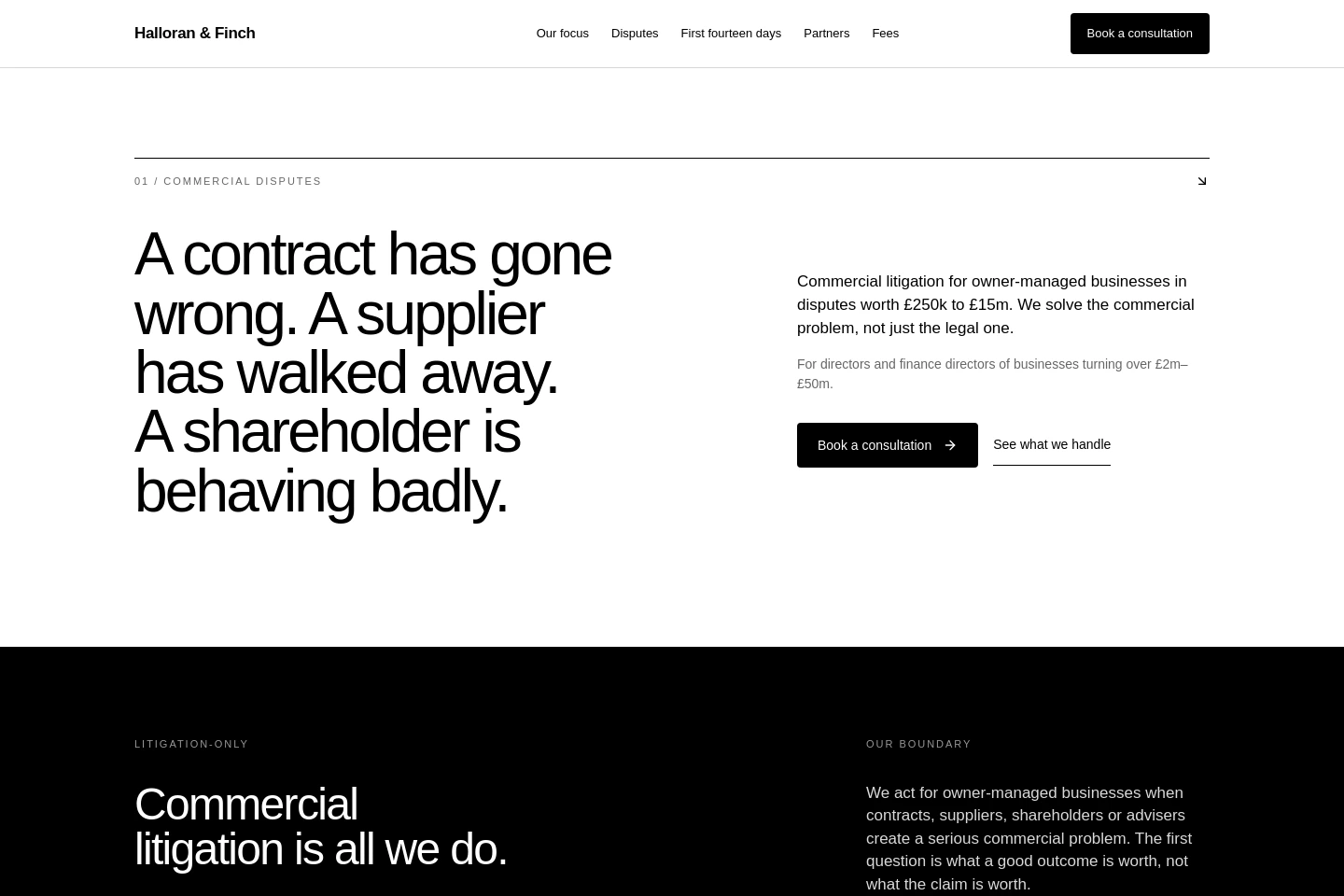
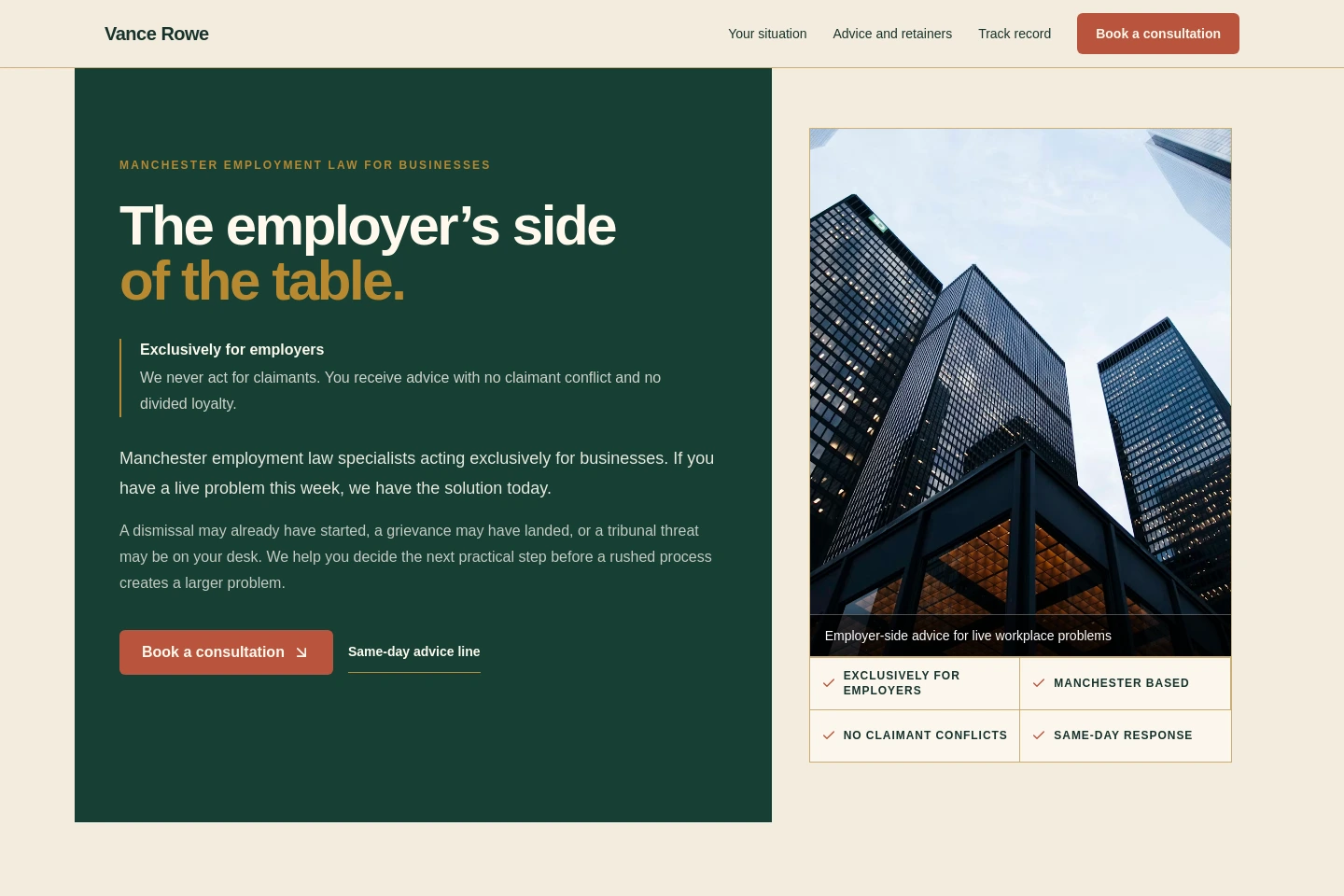
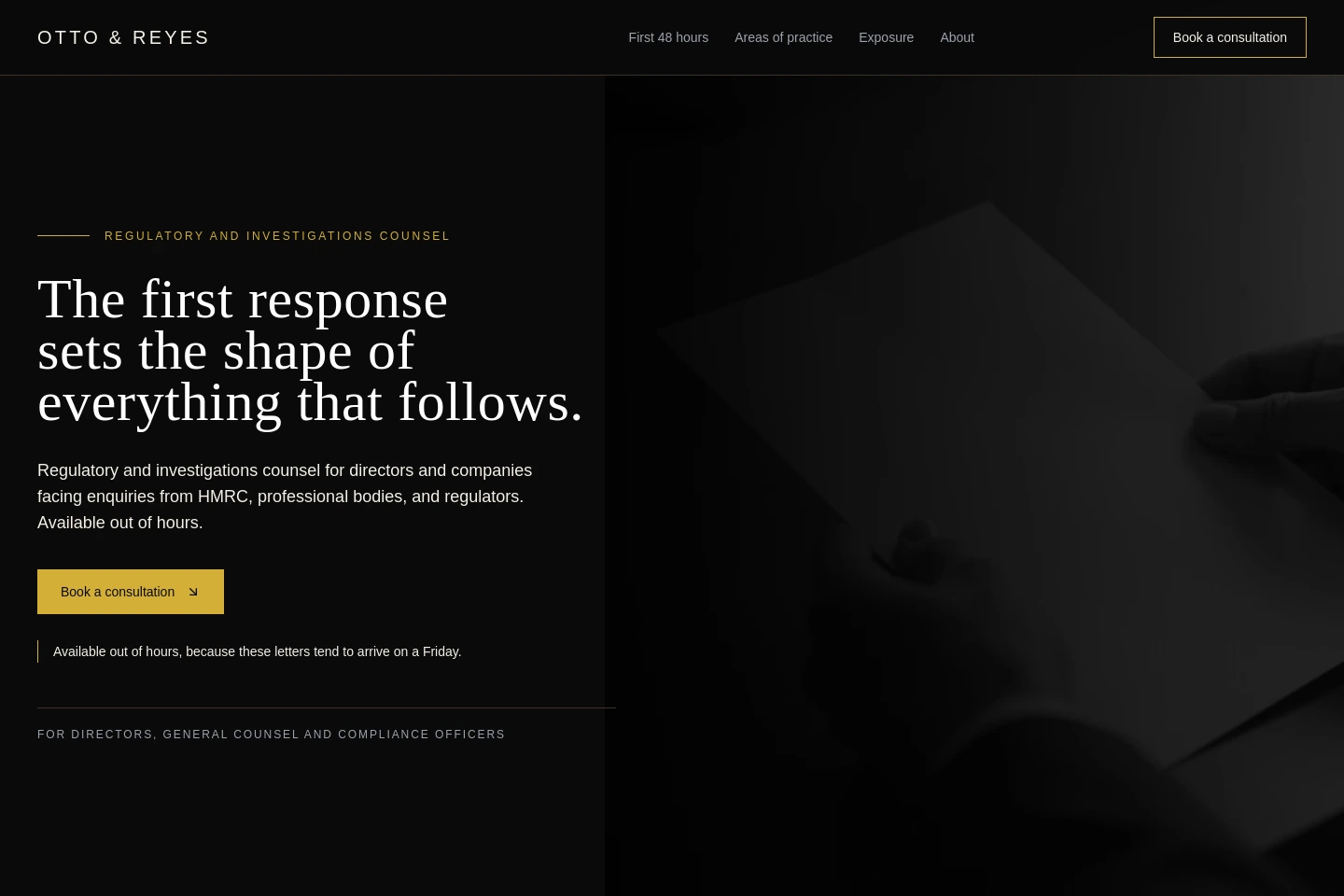
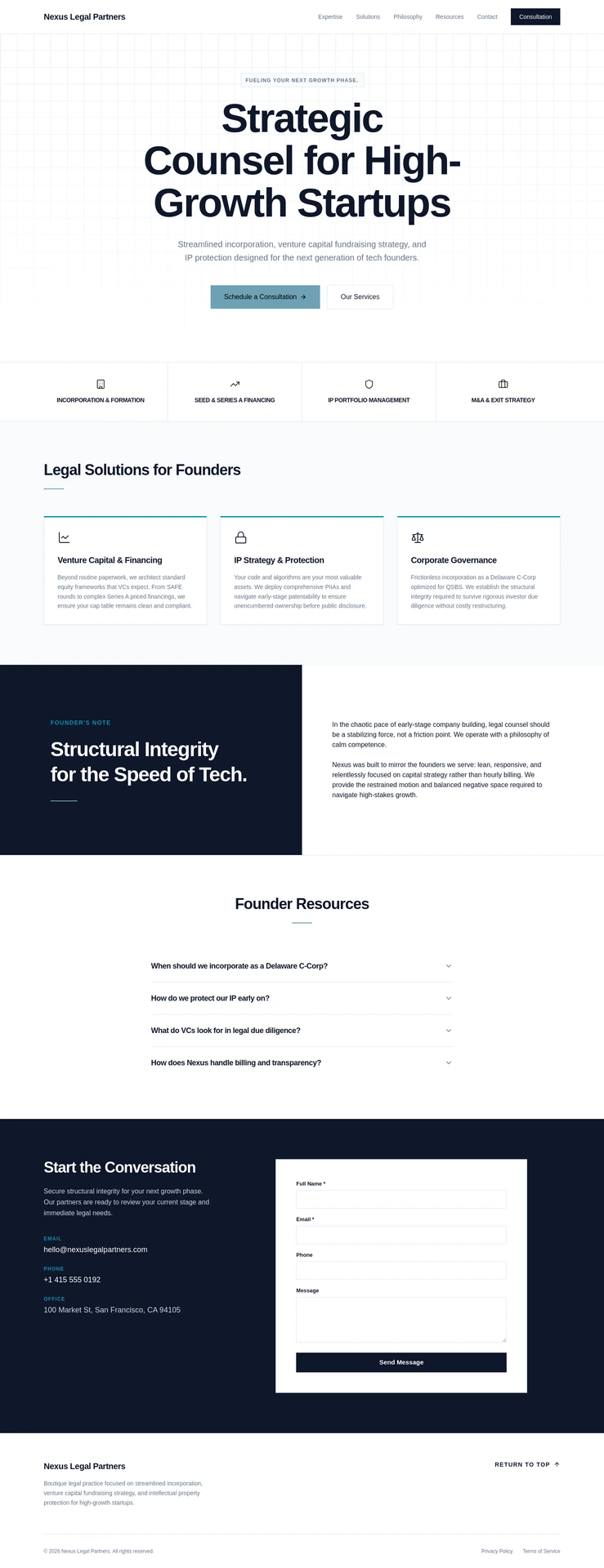
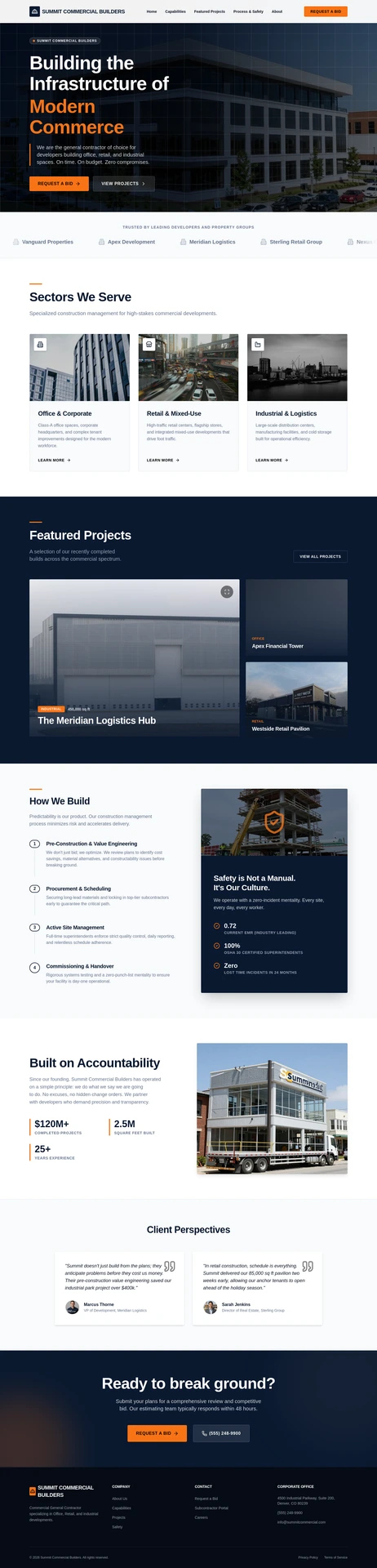
Six briefs, six sites, nothing shared between them. Three law practices above; a consultancy, a corporate law practice and a commercial builder below. All of them are demonstrations, not customers.

Before you promise anyone a date
What agencies ask about a WordPress move.
How long does it take?
The import and the three designs are a short job — the same job as any other new site. What sets the timeline is the review step and whatever the old site depended on that has to be replaced. We are not going to publish a number, because the honest answer for a brochure site and the honest answer for a site with a members area are weeks apart.
What exactly do I see at the review step?
The pages and posts the import read, with their content, before any design has been generated. That is the moment to correct what came across, cut what should not survive the move, and add what was missing. Nothing is generated until you are done with it.
Do the URLs stay the same?
The pages come across with their structure, and titles, descriptions, sitemaps and structured data are set per page. Check every URL against the old site before you publish and plan for anything that has changed. That check is a real job, and it is much cheaper done before launch than after.
Can the old site stay up while I build?
Yes. Nothing you do here touches the WordPress site, and nothing of yours is live until you publish it. The client's domain moves when you decide it moves, and it stays registered to them at their own registrar either way.
What happens to the blog posts?
Posts come across with the pages, and you see them at the review step. What does not come across is anything a plugin was adding to them — related-post widgets, custom fields a plugin created, or a comment system that was not WordPress's own.
Can the client look after it afterwards?
Text and images are edited on the page, enquiries arrive in an inbox they can read, and version history has page-scoped restore if something goes wrong. There is no admin to keep updated, which is usually the part that had gone wrong on the old site.
WordPress is a trade mark of its owner. It is named here to identify the software being migrated from. Nothing on this page implies any relationship with or endorsement by the WordPress project or Automattic.
The cheapest way to find out
Point it at the client's site and look at what comes back.
The draft costs nothing, so you can see exactly what the import found — and what it did not — before you say a word to the client.