
How it works
The whole run, before you sign up for anything.
A description goes in and a site on your own domain comes out. In between there is one gate you control: nothing gets designed until you have read the content plan and agreed to it. After launch, the same workspace runs the marketing and the creative.
Free plan available. No credit card required.
Step 01
Give it whatever you already have.
Most businesses do not start from nothing. Bring the thing that is closest to the work: the address of the site you have now, copy you already wrote, or a few sentences about the business.
A web address
https://yourcurrentsite.com
A redesign reads the site you have now, keeps the pages and the content, and rebuilds the design around them. A WordPress site brings its pages and posts across.
Copy or notes you already have
Notes from the call, the old brochure copy
Paste in what the business already wrote. It shapes the page architecture and the content plan, and it is used as written rather than rewritten.
A description
Beauty studio in Miami. Facials, brows, bridal. Calm and premium, never clinical.
A business name and a few sentences is enough to start.
You can combine them. A web address plus notes on what should change is a common start.
Step 02
It asks for what it is missing.
A brief is never complete. Rather than filling the gaps with plausible-sounding invention, the builder asks — in plain language, a few questions at a time, about the things that would otherwise have to be made up.
It asks instead of assuming
Prices, opening hours, service names and areas covered are the things a generator invents. These are the things it asks about.
Answer now or later
Skip a question and the plan marks it as needing your input rather than filling it in for you.
What are we building? Paste a web address, drop a brief, or just describe the business.
Beauty studio in Miami. Facials, brows, bridal. Calm and premium, never clinical.
Got it. Two things I would otherwise have to guess: do you want prices shown on the treatments page, and is bridal a package or a separate service?
Prices from, not exact. Bridal is its own page with three packages.
Step 03
The gateNothing is designed until you approve the content plan.
This is the step that separates a website from a demo. Before a single design exists, you get the whole site written out page by page — what each page is for, what goes on it, and where every fact came from. Read it, change it, then approve it. Only then does anything get built.
It is also the answer to the thing people are actually afraid of. A design you can fix in an afternoon. A price the AI invented, published on your site, is a phone call you do not want to take.
- Every page, in writing, firstThe full page-by-page plan, not a sitemap and a promise.
- Your words stay your wordsCopy you supplied is carried through as you wrote it.
- Change it before it costs anythingEditing a plan takes a minute. Editing three finished designs does not.
- HomePositioning, three treatment groups, booking
- TreatmentsFacials and brows, prices shown as from
- BridalThree packages, as you described them
- AboutThe studio, the team, the room
- BookEnquiry form wired to your inbox
Illustration of the approval step. Nothing here is saved.
Step 04
Three complete designs. The same content in all three.
One round produces three complete, multi-page designs from the plan you approved. The words, the pages and the offer are identical in each. What changes is composition, typography, colour and rhythm — the part people actually have an opinion about.
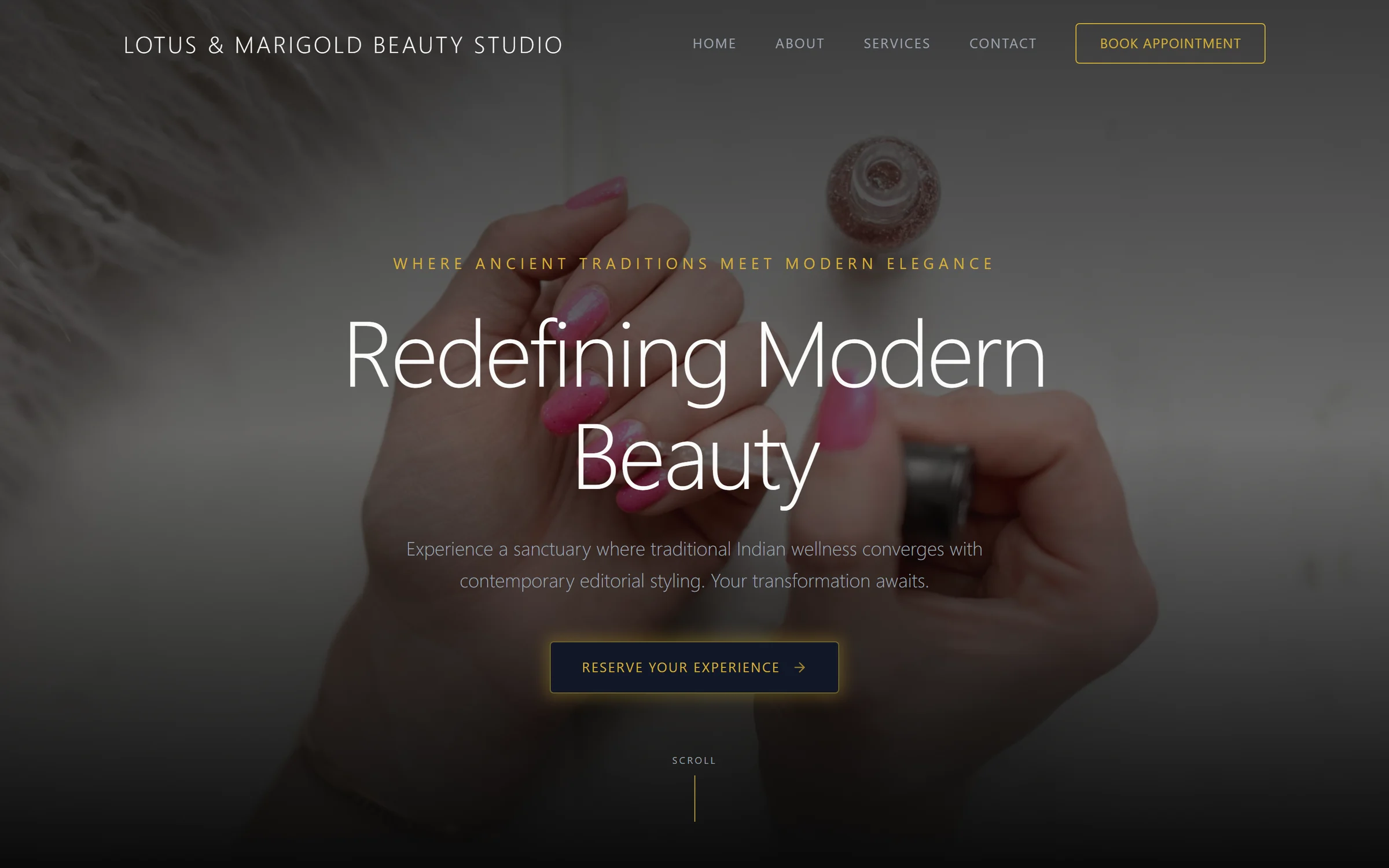
Pick a direction to see it larger.
Three directions produced from one beauty-studio brief.
Ask for more rounds
If none of the three is right, run another round. A site holds up to ten designs.
Switch the live one any time
The designs you did not pick stay on the site. Changing which one is live takes a click.
Send it for review
A review link works on desktop and mobile. Whoever you send it to clicks an element and leaves a note against it, or approves.
Step 05
Change it by clicking, or by saying what you want.
Once a direction is chosen you refine it rather than regenerate it. Click any element on the page and edit it in place, or describe the change and let the assistant make it. Both go through the same version history.
Click it
Select a heading, an image or a button and change it where it sits. No separate editor, no rebuild.
Beauty treatments in Miami for every occasion
Glow that looks like you.
SavedAsk for it
Describe the change in a sentence. Layout, spacing, tone, a whole section rewritten — it is the same instruction you would give a designer.
Make the hero feel more premium and move booking above the gallery on mobile
Widened the hero spacing, tightened the type scale, and moved the booking block above the gallery at phone widths. Content unchanged.
AppliedAnything can be undone.
Every change, yours or the assistant’s, or a review note turned into an edit, lands in version history with the person who made it. Restoring an earlier version is a click, so nobody has to be careful.
Step 06
Publish to your own domain.
Connect the domain, publish, and the site goes out as static pages on our CDN. You keep editing afterwards — publishing again is the same button.
Your domain, your site
The published site lives on the address you own.
Hosting and SSL included
Both come with a live site on Pro. There is nothing else to buy or renew.
Free plan publishes too
The free plan puts one site live on a Mondovo subdomain. A custom domain needs Pro, at Loading pricing… a month for that site.
www.lotusandmarigold.com
- Domain connected and verified
- SSL certificate issued
- Pages compiled and deployed
Preview of the publish flow. Your live site goes out after you review and confirm.
Step 07
The run ends at publish. The work does not.
A live site is where customers start arriving, and the same workspace carries on from there: the enquiries, the marketing that brings more of them, and the creative that goes with it.
Enquiries in one inbox
Form submissions, enquiries and website chat land in the site’s own inbox, and each person becomes a contact with a timeline.
See the platformMarketingPosts, emails and follow-ups
Posts planned on a calendar and published to Instagram and Facebook when you schedule them. Email campaigns that wait for you to send them.
See the marketingCreative StudioImages, videos and a logo
Made in your site’s colours, and priced in credits before anything is made.
See Creative StudioYour assistantFrom Claude or ChatGPT
Ask for the next page, post or email in the assistant you already use.
How the connector worksBefore your first run
What people ask about the process.
How long does a run take?
The brief and the questions take as long as you want them to. The content plan and the three designs are generated while you wait rather than scheduled for later. The honest answer is that reading the plan properly is the slowest part, and that is the part worth not rushing.
What stops it inventing prices or details?
Two things. It asks about the facts it would otherwise have to guess, and it writes the whole site out as a content plan you approve before any design exists. If something is wrong you find it in a page of text, not on a published site.
What if none of the three designs is right?
Run another round from the same content plan. A site holds up to ten designs, and the ones you do not choose stay available. Switching which one is live takes a click.
Can I use copy I already wrote?
Yes, and it is used as written. Paste it in at the start. The content plan shows you exactly where it landed.
What happens to the site I have now?
A redesign keeps the existing pages and content and rebuilds the design around them. A WordPress site brings its pages and posts across. You review what came in before anything is designed.
Can I do this from Claude or ChatGPT?
Yes. Mondovo has a connector for Claude and ChatGPT, so an assistant you already use can create a site, generate and compare designs, refine a page and publish, and afterwards draft the posts and emails, inside that conversation. There is also a voice mode for describing the business out loud and asking for changes.
Start with what you have
Run it once and see what comes out.
The description, the plan, the designs and the revisions cost nothing. You pay when a site goes live.