
Mondovo on WhatsApp
Your whole website, in a WhatsApp chat.
Build a new site, check how every site is doing and make changes, all by messaging Mondovo. Answers come as buttons you tap and pictures you swipe, and nothing changes until you approve it.
Building and trying designs is free. Link your WhatsApp in Account settings.
- Build a site from a chat
- Every workspace in one chat
- Reads your PDFs and photos
- Approve before anything changes
What you can do
Everything you do in Mondovo, from your phone.
It is the same assistant as your dashboard, with the same tools and the same approvals. WhatsApp is just where you talk to it.
Build a new site
Describe the business or send a menu or brochure. Tap through a few questions, pick the looks you like and choose from three finished designs.
Check every site
Traffic, Google search, enquiries, recommendations and blog ideas, across every workspace you belong to.
Send your files
Photos, PDFs and text files are read for you. Send a few at once and get one answer.
Change anything
"Change the opening hours", "add a team page". You get an Approve button before anything goes live.
Make a site in the chat
From a menu PDF to three finished designs.
This is a real run for a sample restaurant, Trattoria Sole. Every message is exactly what Mondovo sent.
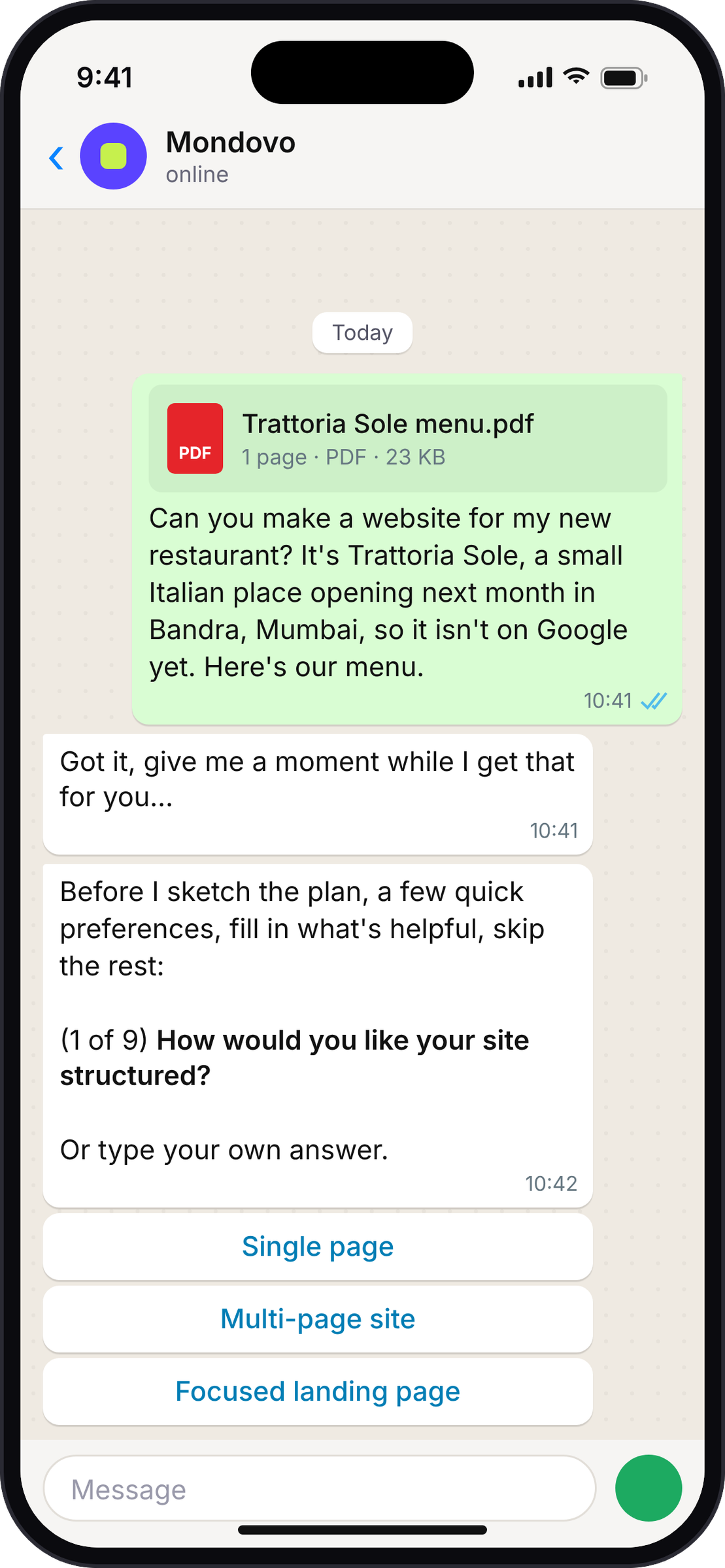
Send your menu and say what you need.
Attach a PDF, a photo or nothing at all. Mondovo reads the file (dishes, prices, opening days) and starts planning.
Answer a few questions with a tap.
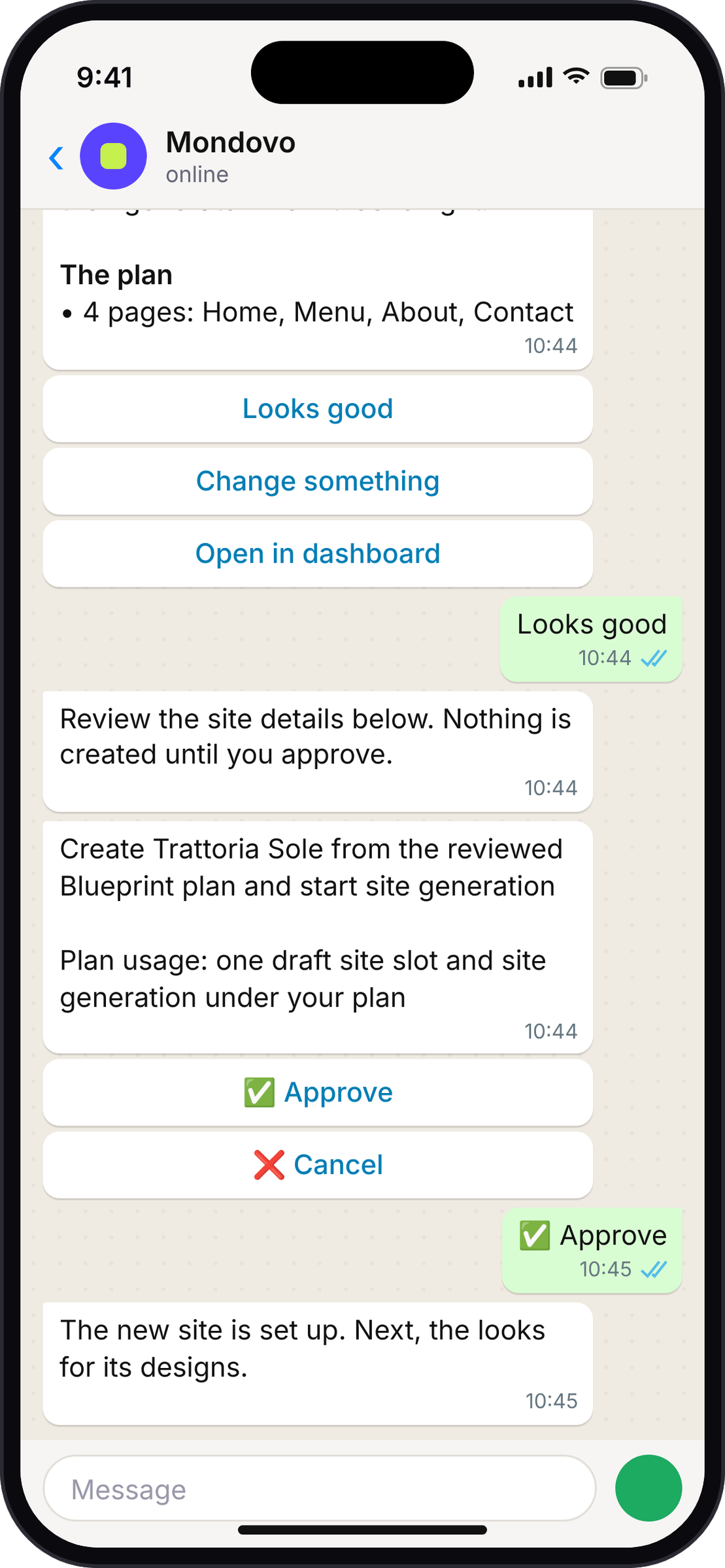
They come one at a time, with Skip and You decide on every one. Then Mondovo shows the plan and waits for Looks good and Approve.
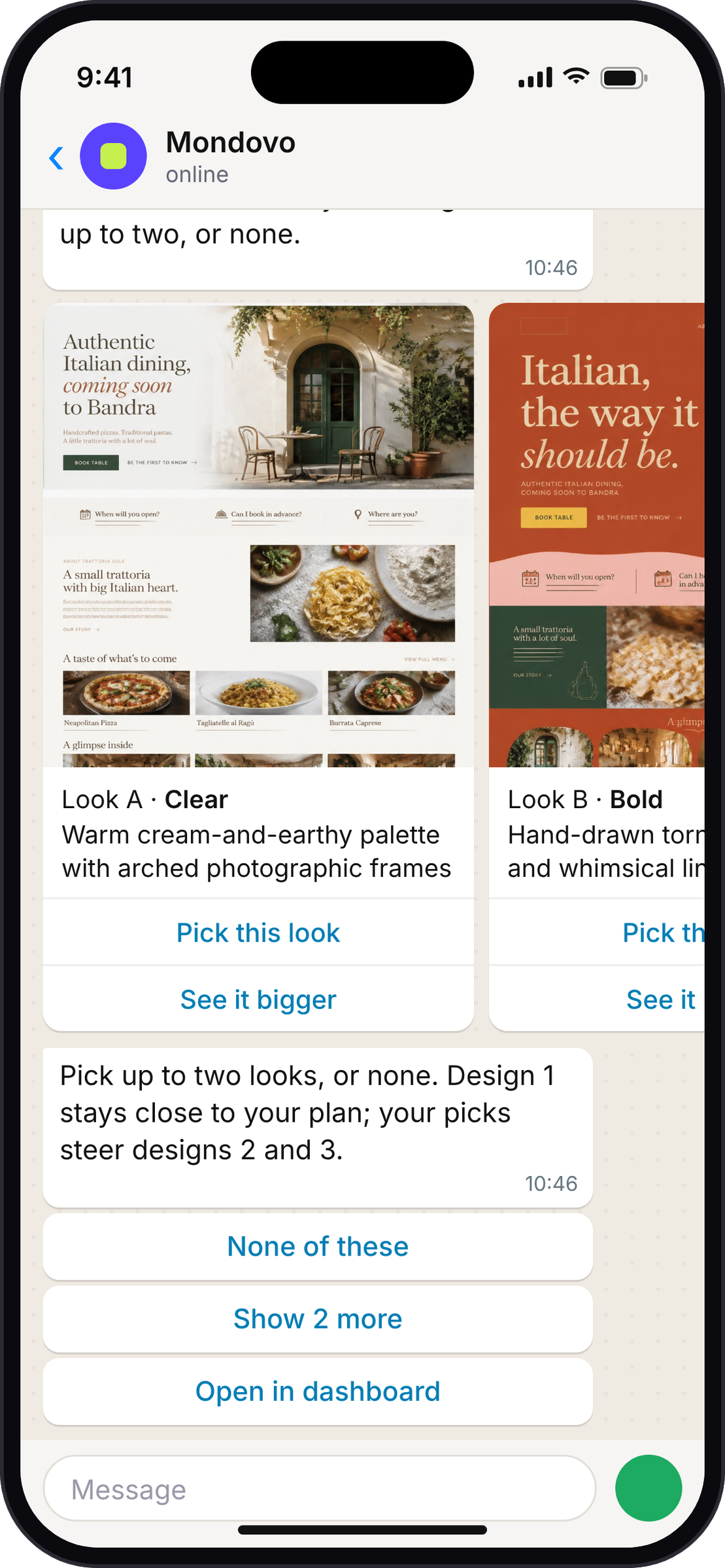
Swipe through four looks. Pick up to two.
Four quick page sketches arrive as cards. Your picks steer designs 2 and 3; design 1 stays close to the plan. Show 2 more, or None of these.
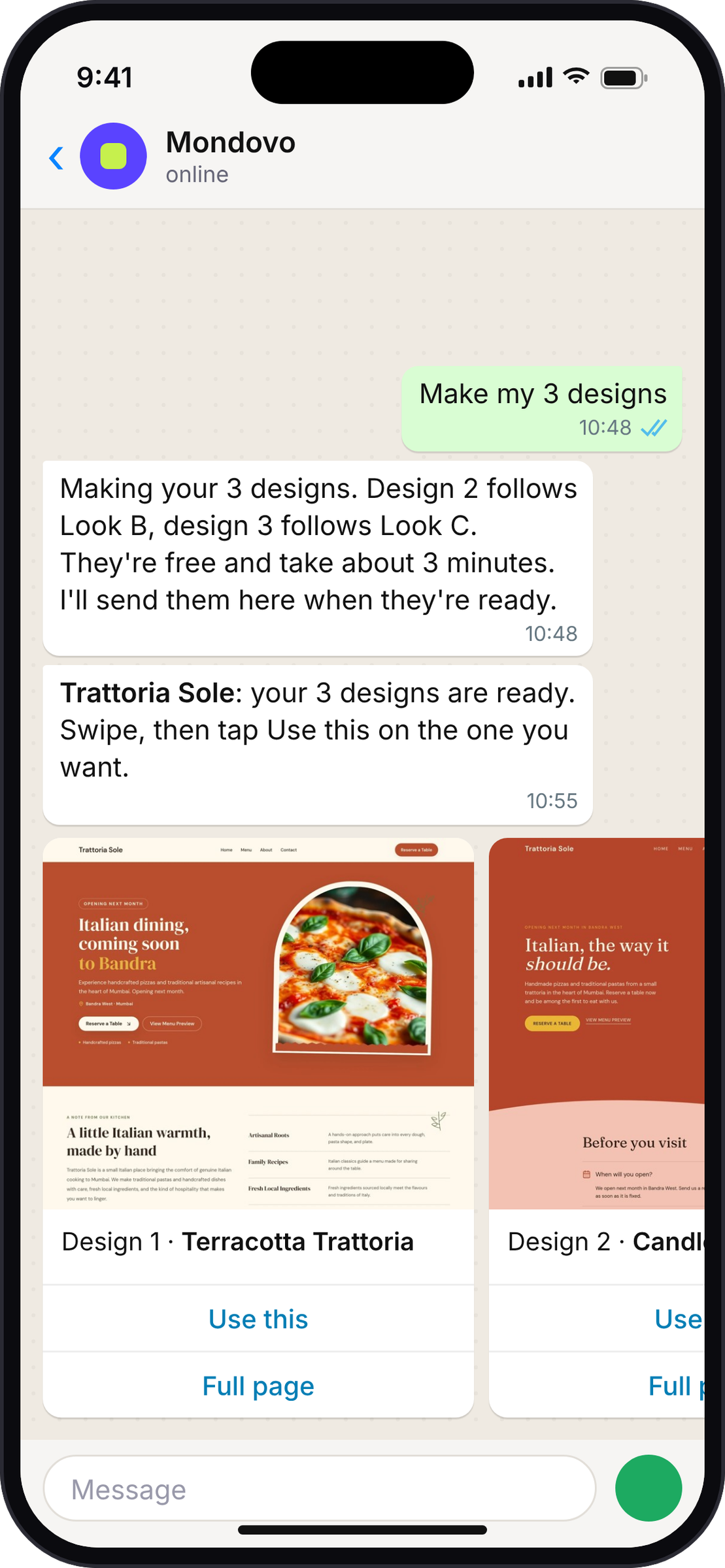
Get three finished designs in the chat.
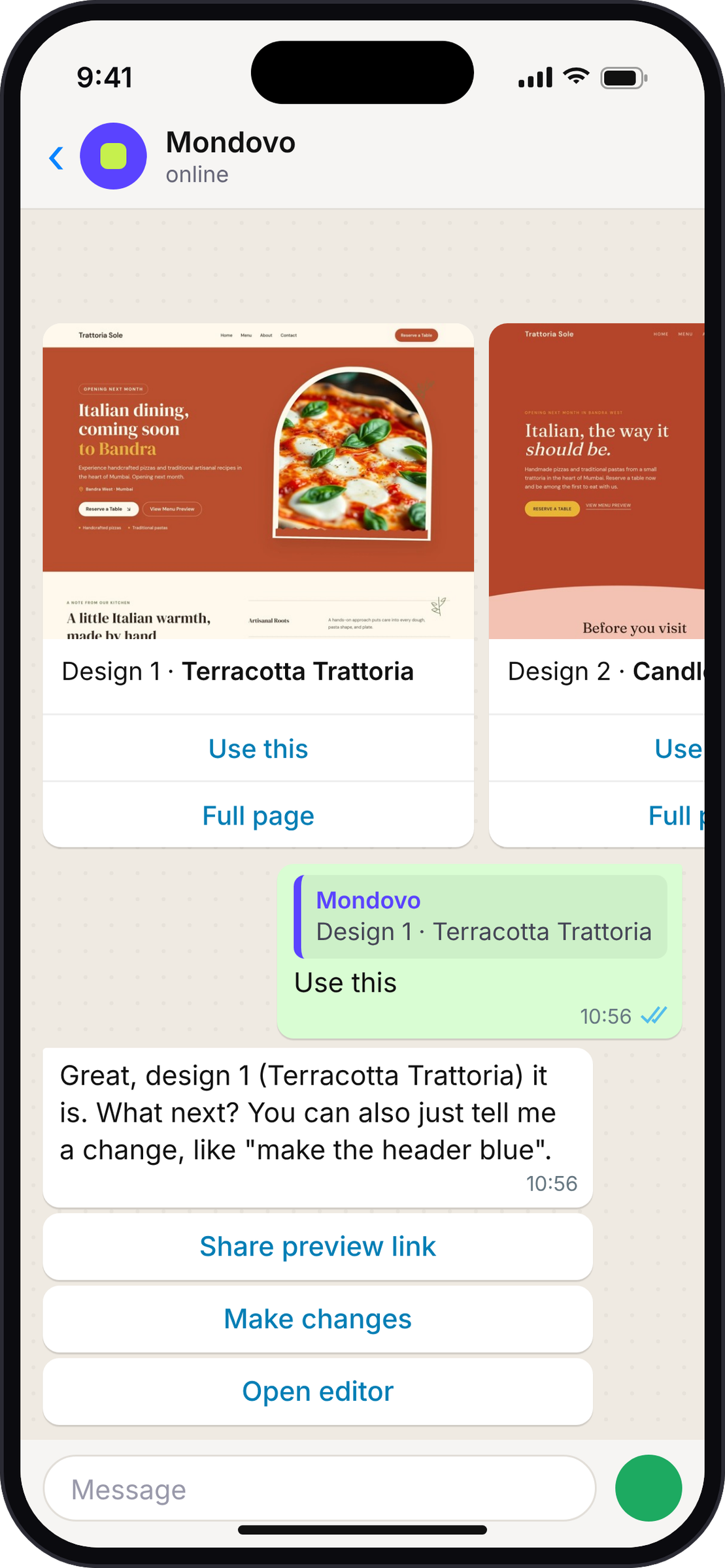
A few minutes later they arrive as pictures to swipe through. Full page shows the whole homepage; Use this chooses one.
Choose one and keep talking.
Ask for changes in plain words, a preview link or the editor. Every change comes with an Approve button first.
The result
Three real homepages, built from one PDF.
The menu section in each one has the dishes and prices from the PDF the owner sent.
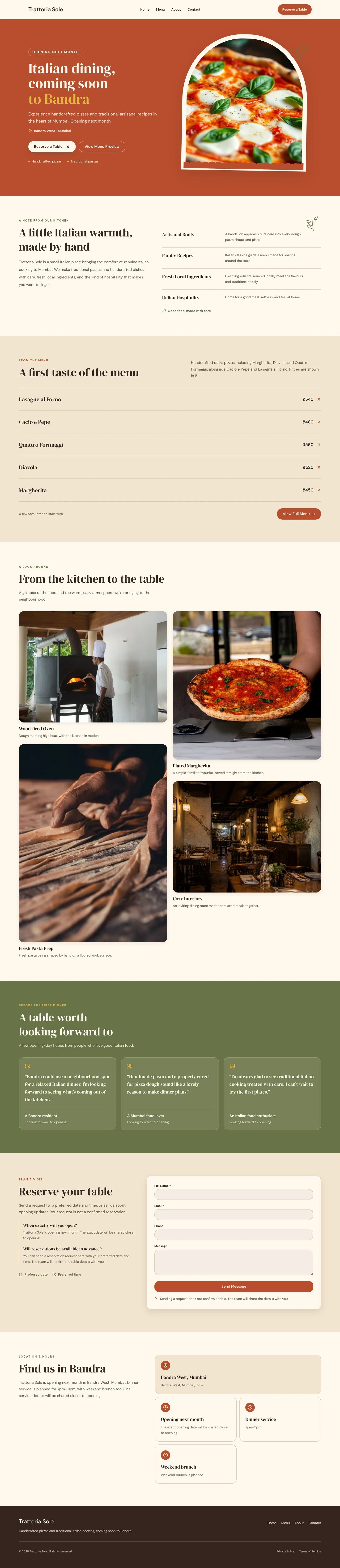
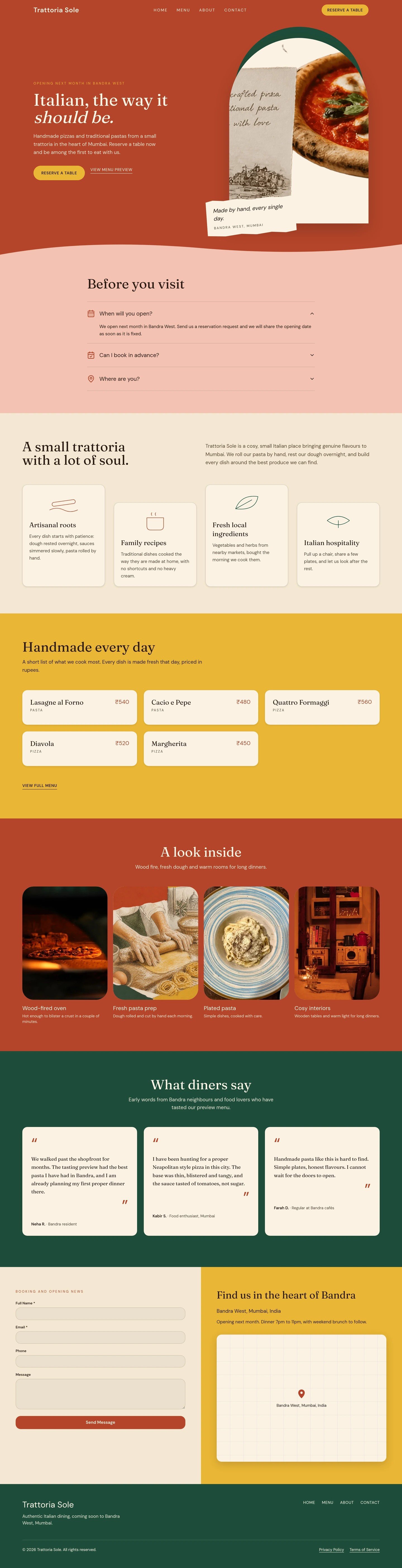
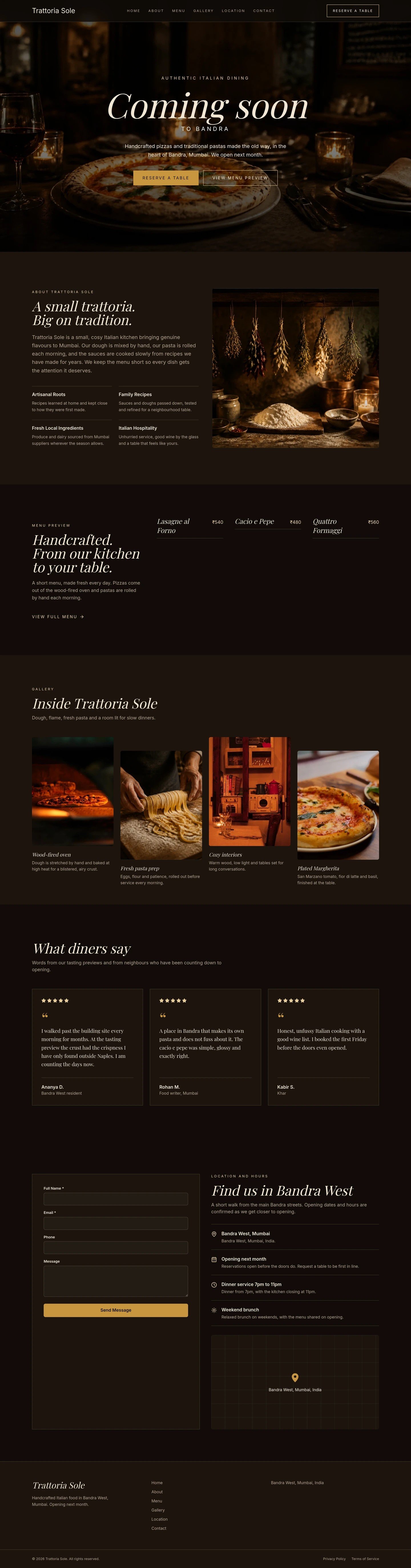
Unedited first designs from the run above.
Send any file
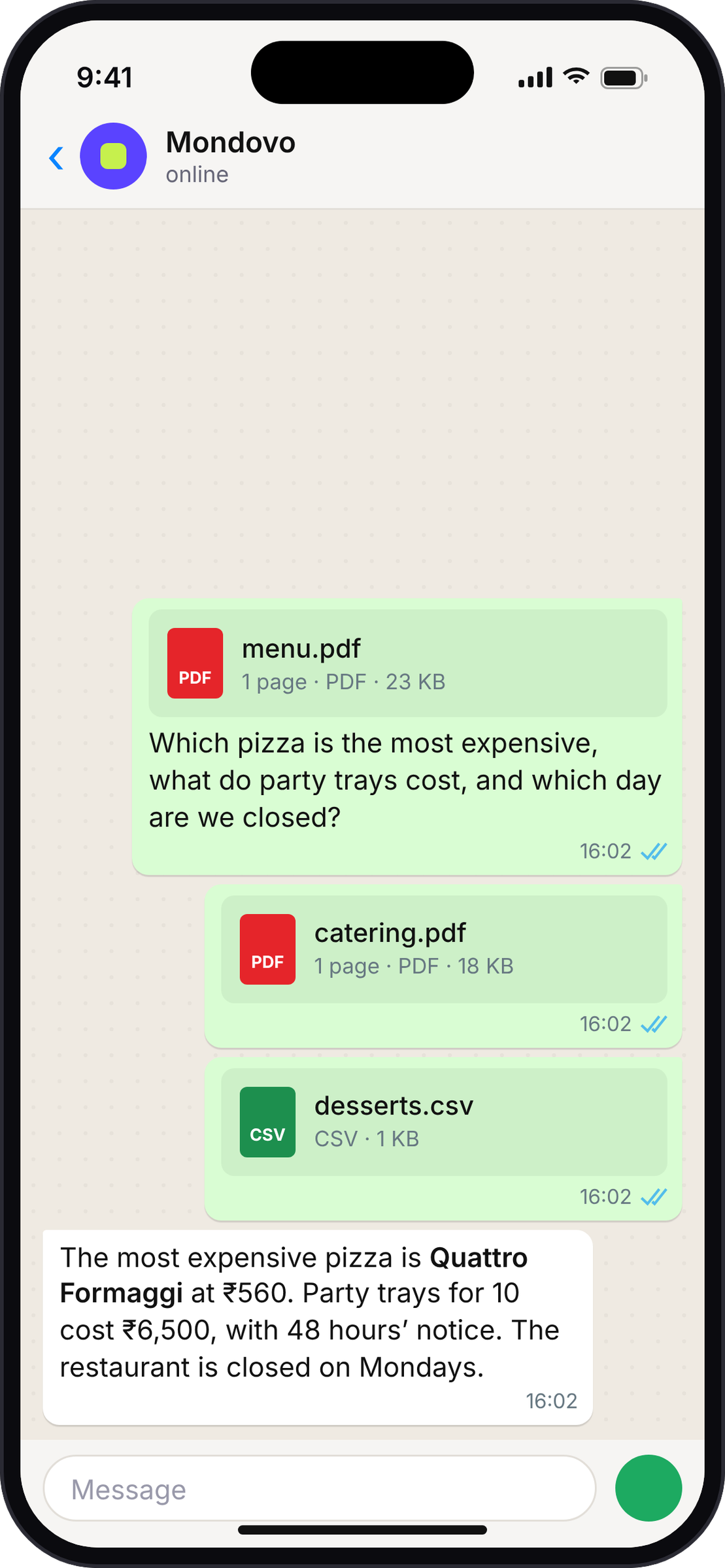
Send a PDF. Ask anything about it.
Send files the way you would to a colleague, with your question in the caption.
- PDFs are read word for word: menus, price lists, brochures, briefs.
- Photos are seen directly: "use this as the hero image".
- Text files (TXT, CSV, Markdown) are read as they are.
- Files sent within a few seconds of each other get one answer.
- On a site you can edit, files are saved to its assets, ready to use.
Ask about any site
Every site, every workspace, one chat.
No switching first. Name a site, or ask about all of them.
- Answers from your real dataNumbers come from each site's own analytics, including visits from Google search. If a site's analytics aren't on yet, Mondovo says so.
- Moves between workspacesName a site in another workspace and the chat moves there on its own.
- Never leaves you waitingA slow answer starts with a short "one moment", and long jobs report back when they finish.
You stay in charge
It asks before it acts.
The same rules as the dashboard, on every message.
Approve before anything changes
Every edit and every new site waits for your Approve tap.
Open in dashboard at any step
The same conversation is waiting in your dashboard, in the right workspace.
Only your workspaces
It sees the workspaces and sites your account can see, nothing more.
Unlink any time
Account settings → Linked WhatsApp → Unlink.
- 1Sign up free at mondovo.com.
- 2Open your avatar menu → Account settings → Linked WhatsApp, and choose Link WhatsApp.
- 3Send the code to Mondovo on WhatsApp. Then just say what you need.
Questions
Mondovo on WhatsApp, answered.
Can I really build a whole website on WhatsApp?
Yes. The questions come as tap buttons, the looks and designs arrive as pictures to swipe through, and you approve the plan in the chat. You can switch to the dashboard at any step.
Is it the same as the assistant in my dashboard?
Yes. Same assistant, same tools, same approvals and the same conversations. Start in one place and finish in the other.
What files can I send?
Photos, PDFs and text files (TXT, CSV, Markdown), up to 10 MB each. Word and Excel files aren't read yet, so save them as a PDF first.
Will it change a live site without asking?
No. Every change waits for your Approve tap.
I manage sites in several workspaces. Do I need to switch?
No. Ask about any site you can see. When you name one in another workspace, the chat moves there on its own.
What does it cost?
Building and trying designs is free, on WhatsApp or in the dashboard. You pay when you put a site live on your own domain.
Try it today
Build your next site from a chat.
Sign up free, link your WhatsApp, and send Mondovo your first message.