
For restaurants
Three restaurant sites. A menu you edit from your phone.
A site built around the three things a hungry person actually wants: what you are serving, whether you are open, and the number to ring. You keep it right yourself, in a minute, from your phone.
Free while you build it. Nothing to pay until it is live on your own address.
The menu is the site
Change a price without ringing anybody.
On most restaurant websites the menu is a photograph of a piece of paper, or a PDF nobody has opened since the prices last went up. Here it is a list you edit. Change eighteen to twenty, mark the sea bass off for tonight, add the special you decided on at four o’clock.
- Type it, say it, or ask for itClick the price and change it. Or say what you want changed out loud, which is easier when your hands are covered in flour.
- It goes back if you get it wrongEvery version of the site is kept. If you delete the wrong dish at the wrong moment, put it back.
Small plates
- Burrata, blood orange, pistachio9.50
- Grilled sardines, salsa verdeOff tonight8.00
- Beef shin croquettesChanged just now8.50
- Charred hispi, anchovy butter7.00
One restaurant, six looks
The same restaurant, described once, in six of the designs it could have had.
Every one of these was generated from the same brief for the same restaurant — same pages, same menu, same words. Three come back per round, and you ask for another round if none of them is right. A site can hold up to ten, and you choose which one is live.
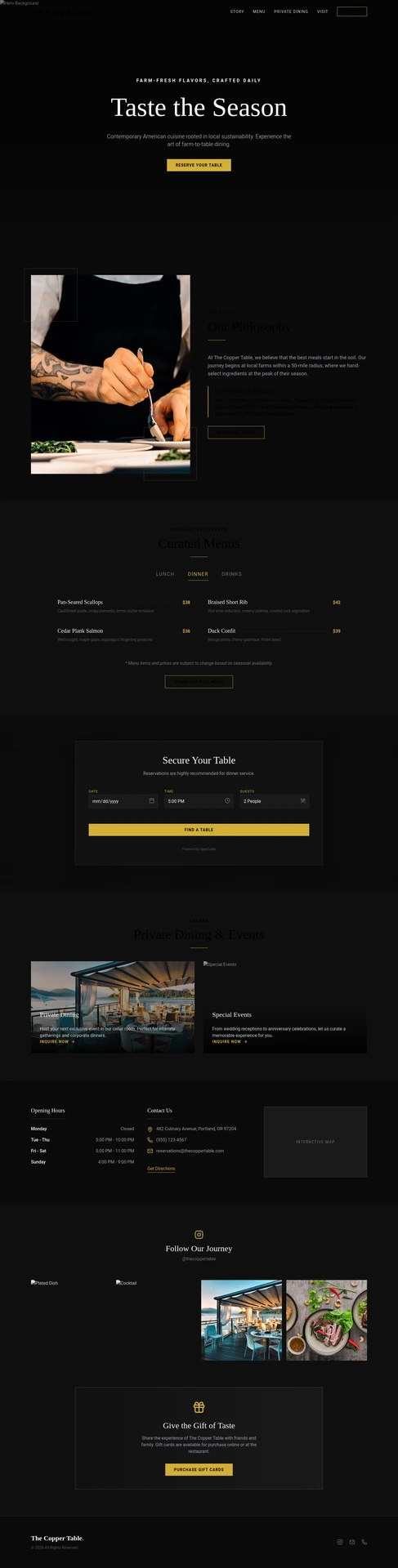
Black ground, centred serif, one gold button.
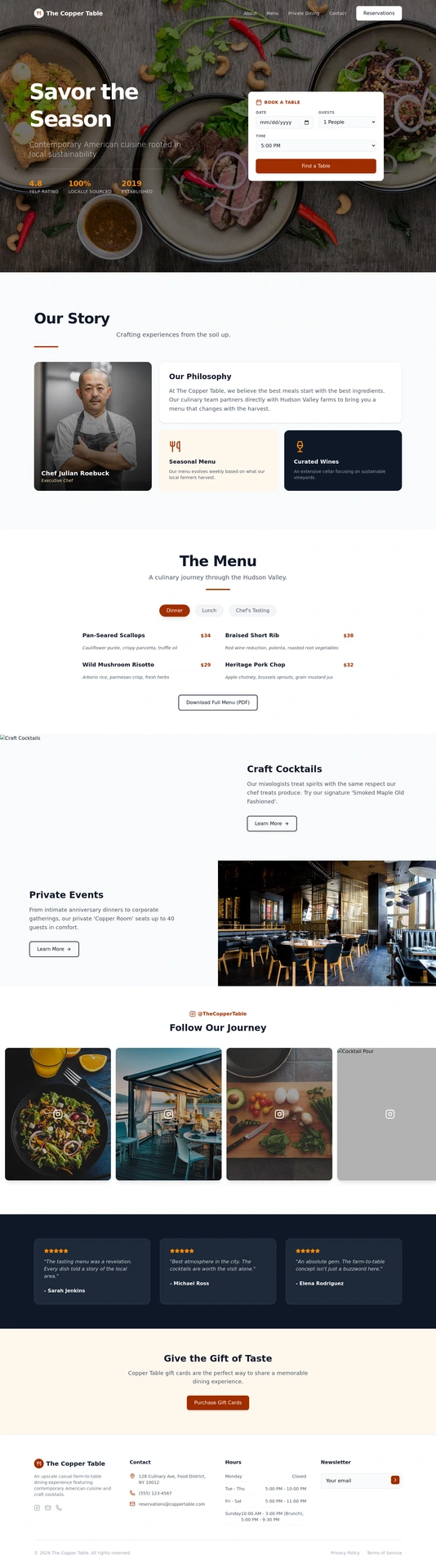
Food photographed from above, the booking card in the hero.
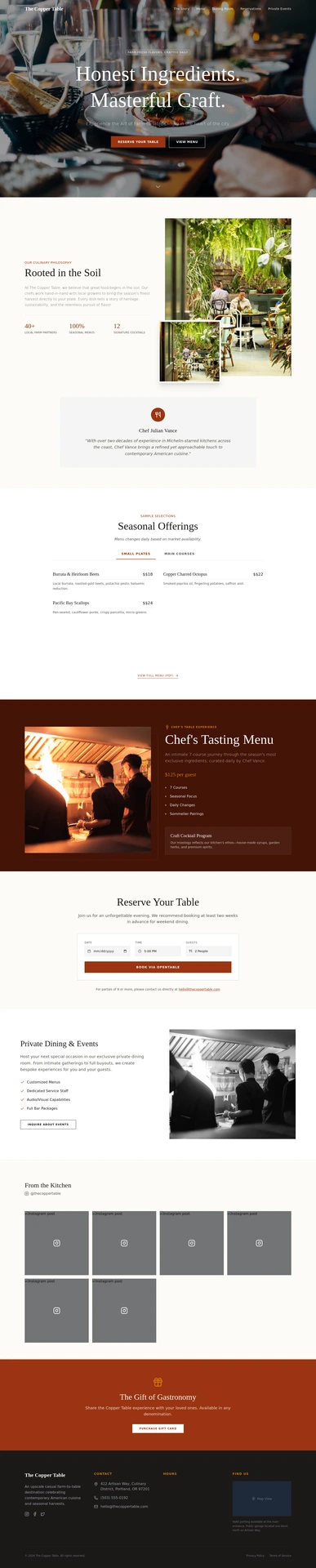
A bright photograph, a light serif, two buttons.
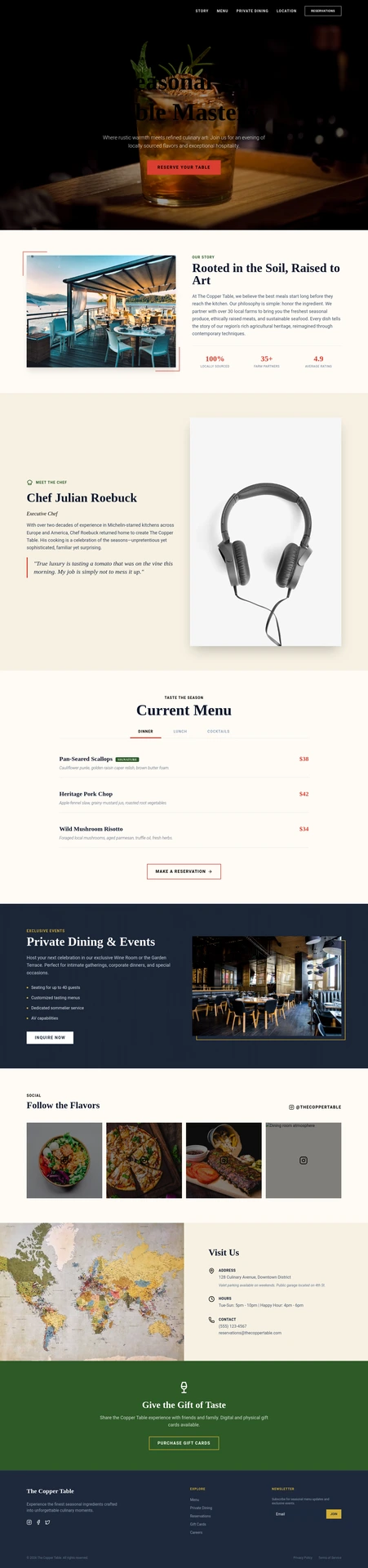
Low light, a cocktail, a red button.
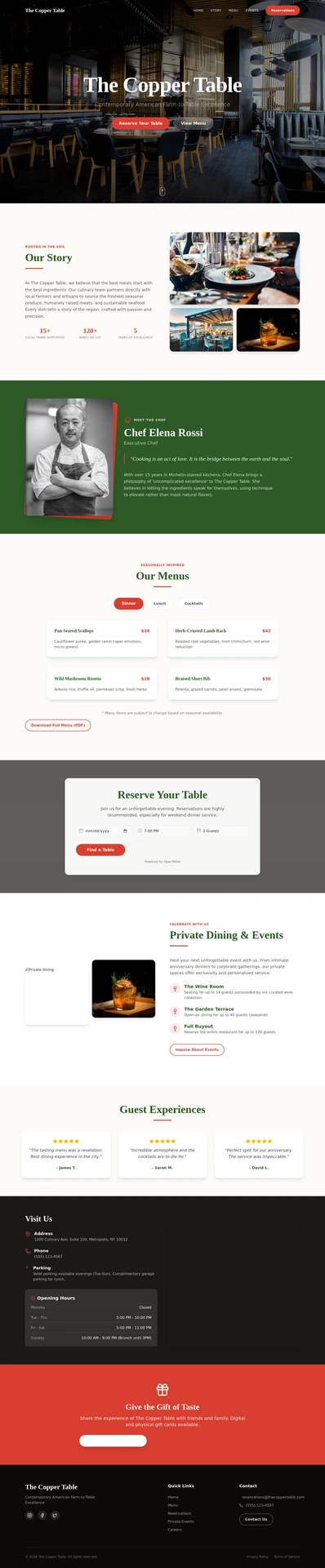
The dining room behind frosted panels.
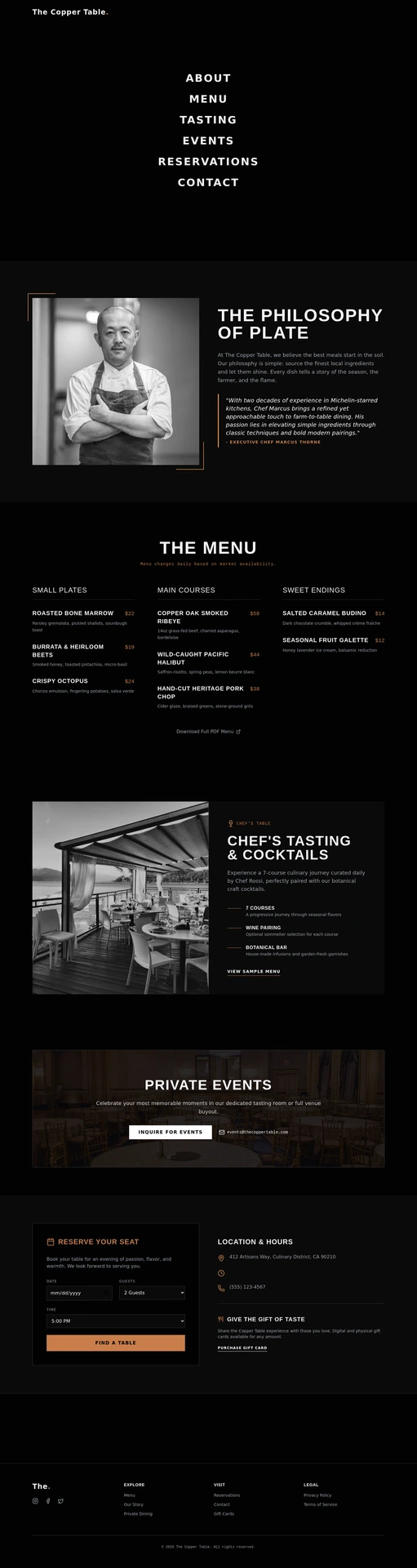
No photograph at all. Six words of navigation.
Real generated sites, shown as demonstrations rather than customers. The restaurant and everything written on it are invented.
See more in the galleryThe first ten seconds
Somebody is standing outside at seven o'clock with a phone in their hand.
They are not reading your story. They want four things, and if the site makes them hunt for any of them they will walk to the place next door.
Are you open?
Opening hours sit on the page as text you edit, not as an image. When they change, you change them, from wherever you are.
Where are you?
The address and a map, on the page and in the footer, so nobody has to open a second tab to find the door.
What is on?
The menu, in full, as a page of its own — not a download that opens sideways on a phone.
What is the number?
The phone number where a thumb lands, near the top, not buried at the bottom of a contact page.
How the menu is held
Dishes are a list, not words buried in a page.
Each dish is a row with a name, a description, a price and a photograph. The menu page, the specials on the front page and anywhere else a dish appears all read from that one list. Change the row and every one of them changes.
Star the ones you want first
Mark a dish as featured and it moves to the front of the list, which is how the highlights on your home page are chosen.
Wine list, set menu, Sunday lunch
Each is its own list and its own page. Adding one does not mean rebuilding the site around it.
Written once, correct everywhere
No more finding out that the old price is still live on a page you had forgotten about.
Worth knowing
Two things you get to decide.
Bookings can run on the site, or stay where they are
If you take tables through a service you like, the site sends people to it. If you would rather take them here, there is a booking calendar with your availability on it, and the guest can get a reminder before they arrive.
A deposit can be paid when the table is booked
For a party of twelve, the booking can ask for a deposit and take it on the page, rather than over the phone.
The party of twelve
The enquiries worth money do not come through the booking widget.
Office parties, private hire, a wake, a supplier who wants to talk. Those arrive as a message, and messages get lost.
It reaches you two ways
Every enquiry is emailed to you and kept in the site's own inbox. If nobody has set an address, it goes to whoever owns the account, so it works from the first day.
The form is part of the site
There is no second service to sign up for, no code to paste in, and no monthly bill for the form itself.
Nobody is counting
Enquiries are not metered and not charged for. Your busiest month costs the same as your quietest.
Once it is live
The site is up. The specials still need telling.
The same account writes the posts, the emails and the follow-ups, in the colours of the site you picked. Nothing goes out until you send it, schedule it or switch it on.
Tonight's special, as a post
Say what the special is and a post is written for you, with a picture to go with it. It goes to your connected Instagram and Facebook when you schedule it, and not before.
- The Sunday lunch menu, every Friday
- A new dish, the week it goes on
- Closed on Saturday for a private party
A reminder before the table, a review ask after it
If tables are booked on the site, the guest can get a reminder the day before and an hour before. Mark the booking complete and it can send them a link to your Google review page. Longer follow-ups are saved switched off until you have read them.
- A reminder the day before a booking
- A link to leave a review after the meal
- The Christmas menu, to the people on your list
Pictures and short reels in your colours
Creative Studio makes images, short vertical videos with captions, and a logo if you do not have one. The colours come from your site. Film a few clips in the kitchen and they can be cut into a reel. Your own photographs of the food will still do more than anything generated.
Or ask for it in a chat
Connect Mondovo to Claude or ChatGPT and say what you want: "Add the sea bass special at eighteen and put a post about it on Friday." The dish goes on the menu, the post goes on the calendar, and it is only posted once you say so.
Emails to your list go out from your own domain, once it is verified for sending. Images and video use the credits that come with each live site.
What you can do from Claude or ChatGPTWhat it costs
Free until it is live. Then Loading pricing… a month.
Build it, look at it, change your mind about it — none of that is billed. The charge starts when the site is published on your own web address, and stops when it is not.
The Loading pricing… includes the hosting and the certificate that puts the padlock in the address bar. Your domain stays registered to the restaurant, at your own registrar.
The sensible questions
Asked by people who run kitchens.
How long does changing a price actually take?
About as long as it takes to type the new number. You open the dish, change the price and save it. There is no queue and nobody to email.
I do not have good photographs of the food.
You can start without them and add your own as you take them. Images can also be generated to fill a gap, and every live site comes with an allowance for that — but a real photograph of your own plate will always do more work than a made-up one.
We already have a site. Do we start again?
No. Give it the address of the site you have and the pages and words come across, then the design is rebuilt around them. You read what it found before anything is generated.
Can people book a table on it?
Yes, if you want them to. There is a booking calendar with your availability on it, and the guest can get a reminder before they come. If you already take bookings somewhere you like, the site links to that instead.
We have a second site down the road.
That is a second site, at another Loading pricing… a month. Both sit in the same account, and the same people can look after them.
What if the design is not right for us?
You get three complete versions from the same content — same dishes, same pages, different look. Ask for another set if none of them fits. A site can hold up to ten and you choose which one is live.
Your restaurant
Describe the place and see what comes back.
Ten minutes, no card, and you can throw it away if you hate it.
See how it works, step by step