
For salons and spas
A salon website that books the chair, fills the gaps and asks for the review.
People choose a salon on their phone, late, from the look of the work and the prices. Mondovo gives you that site in three designs, then the booking, the reminders, the chat and the posts that sit behind it.
- Online booking with your team and your hours
- Reminders that cut no-shows
- A chat that answers and books after closing
- Prices you change between clients
Where the bookings go
Four ways a salon loses a client it already had.
Each one happens when nobody is at the desk, or everybody is with a client.
Someone wants a colour on Saturday and it is ten at night.
Clients pick a treatment, a stylist and a time on your own site, from real availability. The chat on the site can check times and book for them too.
Online bookingThe phone rings while you are mid-blow-dry.
The Voice Agent answers your salon number from what your site says, offers a free slot or takes a callback, and saves the caller. It is a per-site add-on, on the number you already have.
AI receptionistA two-hour slot sits empty because somebody forgot.
Reminders go out a day and an hour before, by email, and by text with the SMS add-on. A link in every booking email lets clients move their own appointment.
RemindersThe price list on the site is two years old.
Click the price and type the new one, or say the change out loud. Edits never cost anything, and every version is kept.
EditingOne booking, start to finish
What happens after somebody finds you on Instagram.
Each step is something Mondovo does today. The salon is made up.
- Sun 22:10Social posts
Found
A reel of a balayage, posted from Mondovo, links to your treatments page.
- 22:13Chat on your site
Answered
The chat on your site says how long a balayage takes and what it costs from.
- 22:15Bookings
Booked
They choose Saturday at 11 with Priya. A deposit is paid if you ask for one.
- 22:15Inbox and alerts
You hear about it
It lands in the inbox as a contact, and in your team chat if you use Slack, Teams, Discord or Google Chat.
- Fri 11:00Reminders
Reminded
A reminder the day before, and an hour before. By text too, with SMS.
- Sat 14:00Review request
Asked for a review
You mark the appointment complete. A link to your Google review page goes out.
- Six weeks onFollow-ups
Rebooked
A rebook email follows, saved switched off until you have read it.
Illustration using a demo business. Not a customer.
Behind the site
The website, and everything a salon runs on it.
One account and one login. Here is what comes with a live site, what is an add-on, and what uses credits.
- Included
- Comes with every live site on Pro.
- Add-on
- A per-site extra you switch on in Billing.
- Credits
- Creative Studio work, priced before it is made.
Get found
Fill the chair
Keep the client
Show the work
Change it any way you like
Put your prices up without asking anyone for help.
Every change is kept, so a bad edit at the end of a long Saturday is undone rather than mourned.
- In the editorClick the price, type the new one. Swap a photo. Add a treatment as its own page.
- By asking in the dashboard"Put the balayage up to ninety-five and add brow lamination", and it is done.
- Out loudDictate the change between clients, or talk it through.
- On WhatsAppMessage Mondovo, send a photo of the new treatment room, and approve the change with a tap.
- Slack, Teams, Discord or Google ChatNew bookings and enquiries posted to your team's channel. In Slack, confirm a booking with one click.
- Claude or ChatGPTConnect Mondovo to the assistant you already use and ask for the price change, the post or the email.
What is on your salon site
What a good salon website has. Yours starts with all of it.
Drafted from a few sentences about the salon. You read the plan for every page before anything is designed.
Use your own photographs of the work wherever you can. Images can be generated to fill a gap while you build up your own, but your work is always the better picture.
- A Book now button on every page
- A treatment list with prices you can change in a minute
- A page for the treatments that need explaining
- Your team, each with a Book with button
- A gallery of your own work
- Opening hours, address, parking and how to find you
- Reviews from your clients
- Aftercare and policies: deposits, lateness, cancellations
- Retail products, if you sell them
- A chat that answers when the salon is shut
- Your Instagram feed on the page
- Questions people ask before a first visit
Three salons, three looks
A hair salon, a barbershop and a nail studio, each built from a few sentences.
None shares a template with the others. Yours gets three complete versions from one approved content plan; ask for another round if none is right. A site can hold up to ten.
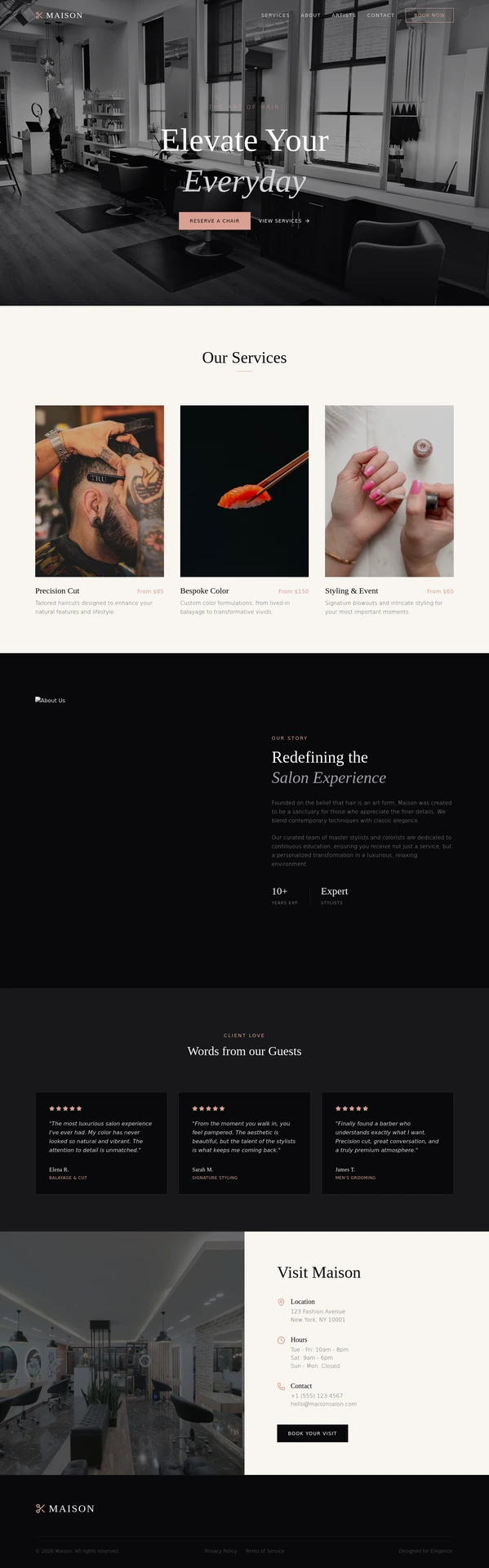
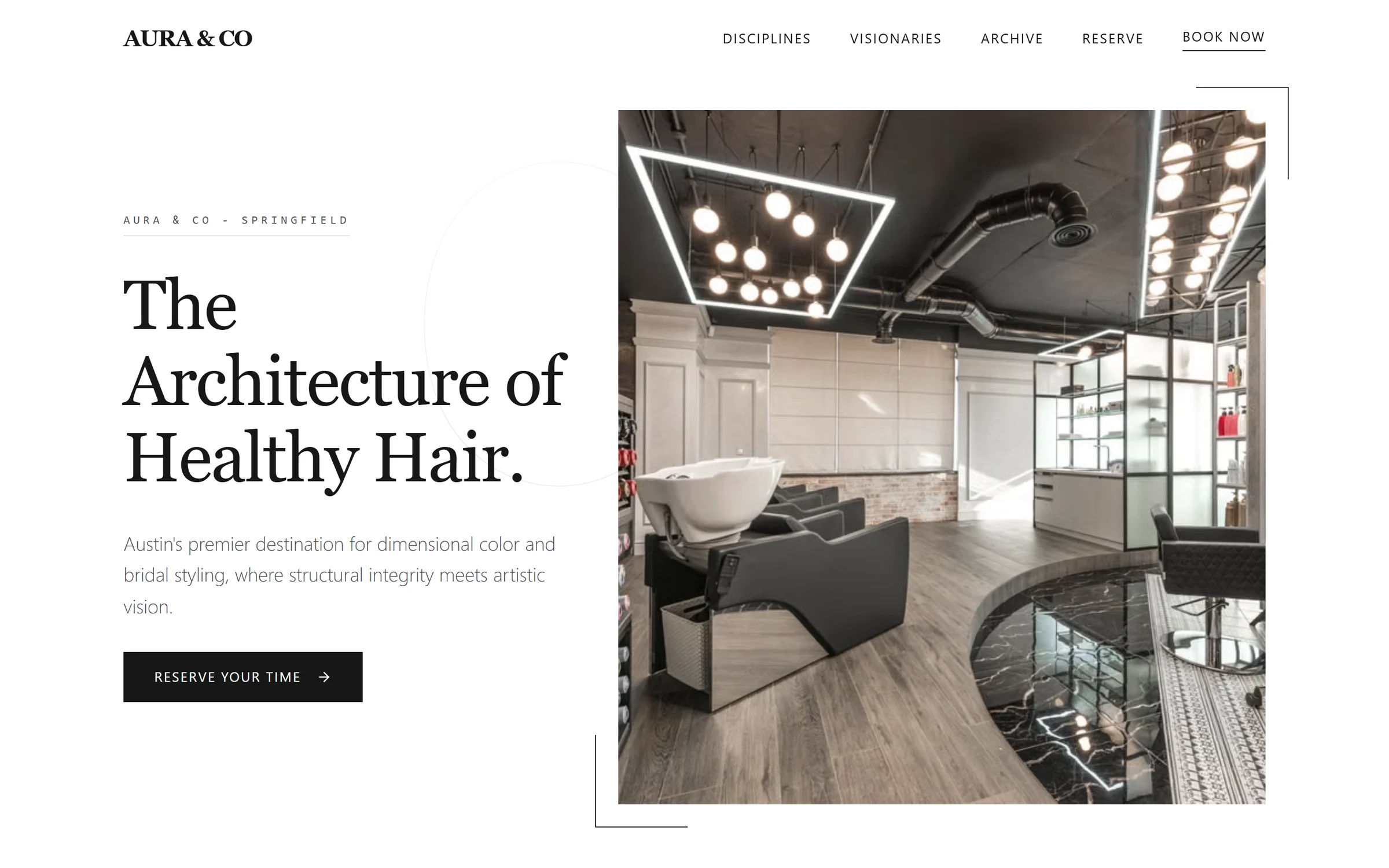
Black and white, the room, one serif line.
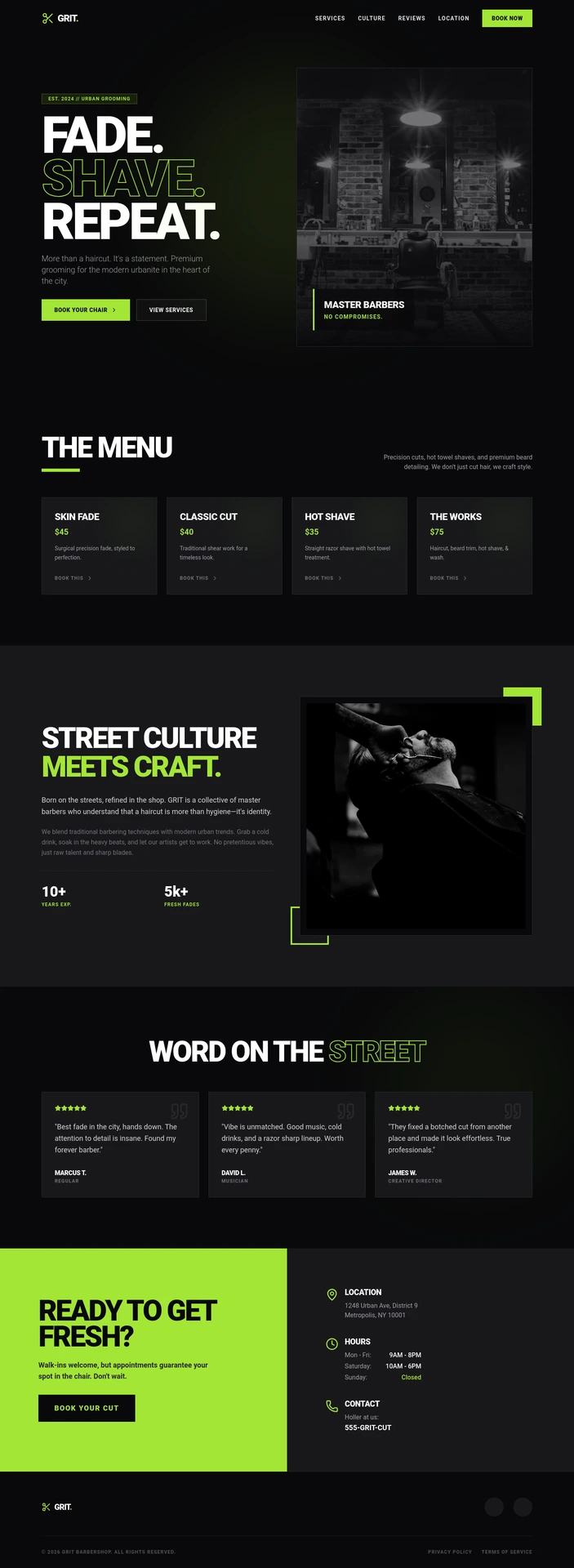
Black, lime, three words.
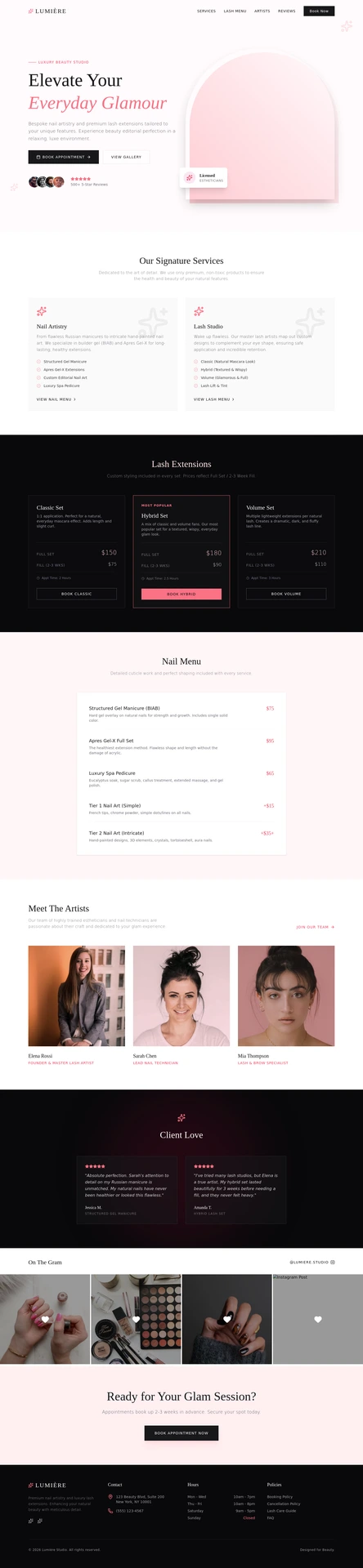
Blush pink, a rounded arch.
Real generated sites, shown as demonstrations rather than customers. The salons and everything written on them are invented.
See more in the galleryYour call
Use what you need, keep what you have.
Keep your booking system if you like it
If clients book through a system you already use, the site sends them there and your diary is unchanged.
It answers calls, it does not make them
The Voice Agent answers incoming calls and takes callbacks. It does not ring clients or transfer a live call.
Nothing goes out on its own
Posts go out when you schedule them, emails when you send them, follow-ups once you switch them on.
What it costs
Build free. Go live with Pro.
Pro is one price per live site, per month, shown in your currency on the pricing page.
- Building, designs and previews
- Free
- Going live, hosting, SSL
- Pro
- Bookings, chat, forms, inbox
- Included
- Pages, visitors, enquiries
- Not counted
- Voice Agent, text messages
- Per-site add-ons
- Reels, graphics, a logo
- Credits
Editing the site, by hand, by chat or by voice, never uses credits. A second salon is a second live site on the same account.
See pricing for your countryQuestions
Asked across the desk.
Can clients book online?
Yes. Set your treatments, team and hours, and clients book on your site or through its chat. Reminders go out on their own, and deposits can be paid at booking through your own payment account.
Can it answer the salon phone?
Yes, with the Voice Agent add-on. It answers from what your site says, offers free times or takes a callback, and saves the caller. You can hear it in your browser before you connect a number.
My photos are all on Instagram.
Upload the ones you want and put them where they belong: a gallery, a treatment page, the front page. Images can also be generated to fill a gap while you build up your own.
What if none of the three looks right?
Ask for another round. The words and pages stay as they are; only the look is regenerated. A site holds up to ten versions and you choose which one is live.
Will it look right on a phone?
That is where nearly everyone will see it, so it is built for a phone first, and you can check both while you choose.
I already have a site I hate.
Give it the address. The pages and words come across, so you are not typing the treatment list again, and the design is rebuilt around them.
Your salon
Describe the place and see the three.
It costs nothing to look, and you can throw all three away.
See how it works, step by step