Blog
Website for Plumbers: What It Needs to Win Jobs (and How to Get One)
Someone with a burst pipe found your site, couldn't spot the number, and rang the next plumber. Here's what a plumbing website needs to win that call.
You're under a sink in someone's kitchen when the phone buzzes twice and stops. Later you find out what happened: a woman two streets away had water coming through her ceiling, found your website, couldn't see the number without scrolling past a slideshow, and rang the next firm instead.
That's what a plumber's website is for. Not looking clever. Getting the person with the burst pipe or the dead water heater to call you, and the person planning a bathroom refit to ask you for a quote. Most plumbing sites I see fail one of those, usually within five seconds on a phone.
Below is what a website for plumbers actually needs, the mistakes that cost calls, and the four ways to get one. One of them is Mondovo, which we built for exactly this kind of business: you describe what you do and where you work, and it builds three complete sites, service pages included, before you pay anything.
The short answer
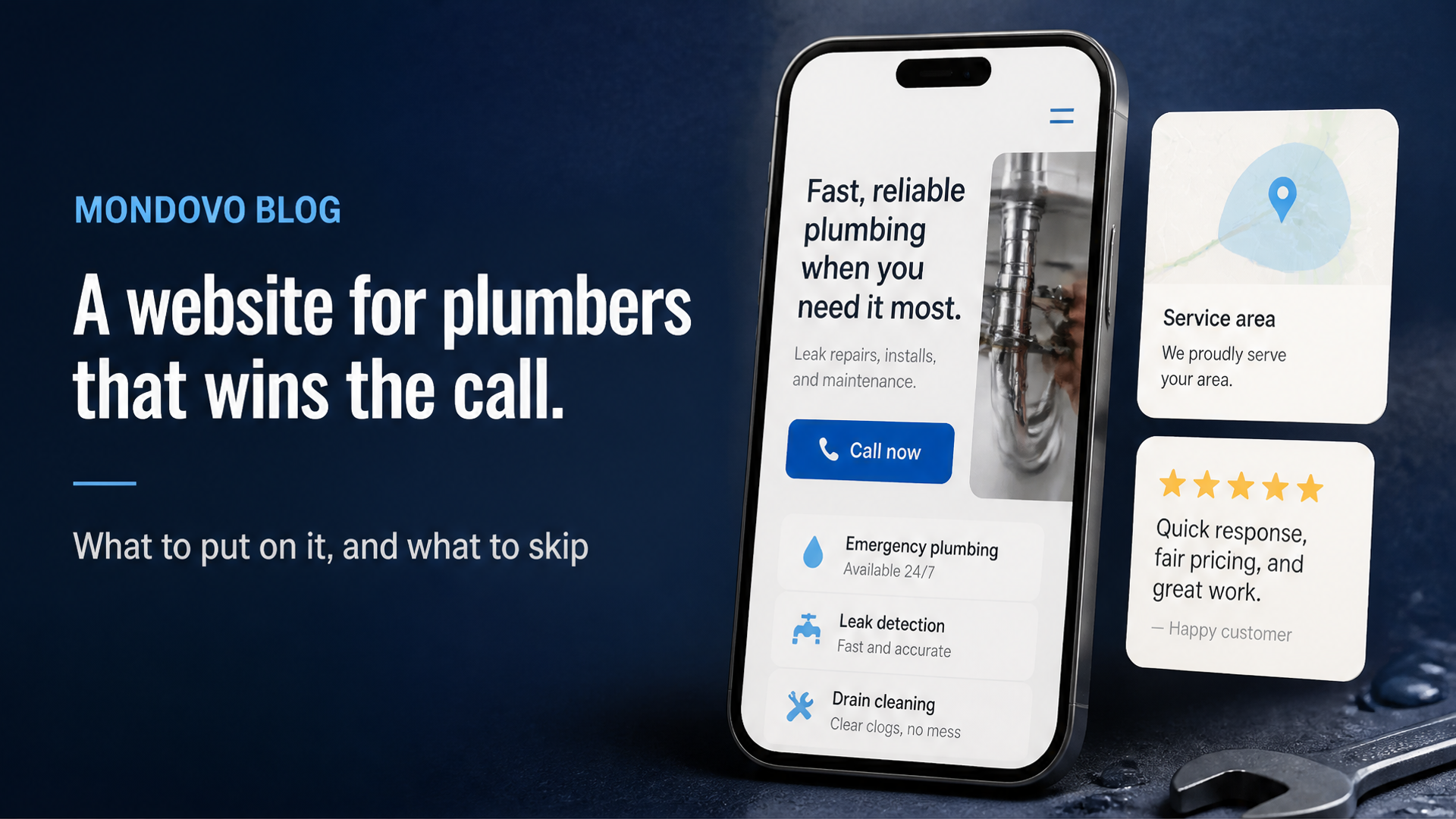
A plumber's website needs a tap-to-call number at the top of every page, a page for each job you want to be called about, a page naming the towns you cover, emergency hours if you really offer them, reviews plus your licence and insurance details, a quote or booking form that reaches you, photos of your own work, and pages that load fast on a phone. Your name, number and hours should match your Google Business Profile exactly.
For getting it built: a DIY builder is cheapest if you've got the evenings. A freelancer suits you if you want someone else to do it and have a few thousand to spend. An agency makes sense for a bigger firm with several vans and a marketing budget. Mondovo fits the plumber who wants a finished site without writing every service page from scratch or losing weekends to a template. Building it is free, and it's $20 a month once it's live on your own domain.
What a plumber's website needs to win jobs
A phone number you can press with your thumb
Picture who's looking: someone in a hurry, on their phone, possibly standing in water. Put the number at the top of every page as a tap-to-call link, not an image and not only in the footer. Say who picks up and when. "Call Dave, 7am to 7pm" tells a customer more than "Contact us today".
Mondovo: say it in your description ("tap-to-call number at the top of every page") and the designs are built around it; if one isn't, ask for the change in words. For the calls you can't take while you're on a job, there's an AI receptionist for phone calls built in, so a missed call doesn't have to be a lost one.
A page for each job you want to be called about
Think about what a customer types: "water heater repair", "blocked drain", "leak detection", not "plumbing services". Someone after a tankless water heater should land on a page about tankless water heaters, not a list where it's the ninth bullet. Each page should say what the job is, the signs a customer would notice ("no hot water", "gurgling drains"), whether you do it as an emergency, and the number again. Write about the work you want more of.
Mondovo: this is the part most plumbers never get round to, and it's the part Mondovo does for you. You describe the business, it plans the pages, and the service pages come written with your details in them. You read the plan before anything is designed and fix what's wrong, then edit any page later by clicking the text or asking for a change.
Service-area pages that name real places
"Serving the greater metro area" tells a caller nothing, and a caller who can't tell whether you come out to them rarely asks. They ring someone who says so. List the towns or neighbourhoods you cover on a page of their own, and give your busiest areas a page each. Don't copy one page twenty times and swap the town name. Write something true about each: the older houses with galvanised pipes, how quickly you can usually get there.
Mondovo: pages aren't counted on the plan, so covering thirty villages properly costs the same as covering three. Add a page whenever you take on a new area.
Emergency and 24-hour information, only if it's true
If you offer emergency call-outs, make it the first thing on the home page and say exactly what it means: which hours, which areas, and whether there's a call-out fee. If you don't, don't write "24/7" because a competitor does. The customer who rings at 2am and gets voicemail won't ring again, and might leave a review about it. Keep your hours identical on your site and your profile; Google's local ranking advice asks businesses to keep hours current and add special hours for holidays.
Reviews, licence and insurance, where people decide
Before anyone lets you in, they want to know you're real, qualified and covered. Put your licence number (if your state or city licenses plumbers) and a line on insurance near the top, not on an "About" page nobody opens. Add a few real reviews with first name and town, and link to your Google reviews. Google's own help page says "more reviews and positive ratings can help your business's local ranking", so ask every happy customer and reply to what you get.
Mondovo: a generated design shows sample reviews and credentials so you can see how the page will look. Swap them for your real reviews, licence number and insurer before you publish. It's the most important ten minutes of the whole build.
A quote or booking form that actually reaches you
The couple planning a new bathroom will happily fill in a form at 9pm and expect an answer the next morning. Ask only what you need to call back: name, phone, postcode, what's wrong, and a photo if they can take one. The classic failure is a form that emails an address nobody checks, so test yours from your phone once a month.
Mondovo: forms come built in with an enquiry inbox, so every request lands in one place and the person becomes a contact with what they asked and when. Bookings are built in too, with deposits if you want one for a survey or a fixed-price job. It doesn't do your estimating; the quote itself stays wherever you work it out now.
If you'd like to see your own plumbing business as three finished sites before deciding anything, try it free.
Photos of your own work
A stock photo of a smiling man in a spotless uniform fools nobody. Your own photos, even ordinary ones, show you're a real firm: the van with your name on it, a new water heater neatly piped in, a before-and-after of a bathroom. Put a line under each saying what the job was and where. Take them on your phone at the end of every job.
Mondovo: upload your photos to the service pages and a gallery. If you need a logo for the van, Creative Studio can make one, but for the work itself, use your own pictures.
Fast on a phone
Open your site on your phone, on mobile data, standing outside. If you're waiting for it, so is the customer. The usual culprits are huge photos, pop-ups and a pile of plugins.
Mondovo: pages publish as static files from a global network, with no plugins to slow them down or keep updated.
The same details as your Google Business Profile
Plenty of customers will meet your Google profile before your website, so the two should agree. Google's guidelines say your business name should match your real-world name "as used consistently on your storefront", and that a service-area business should hide its street address and set a service area instead. Use the same name, number, hours and areas on both.
Mistakes that cost plumbers calls
- The number is hard to find. In the footer, shown as an image, or behind a "Contact" page.
- One "Services" page for everything. Twelve bullets, no detail, and no page for the job someone searched for.
- No areas listed. The customer can't tell if you'll come out, so they ring someone who says they will.
- Stock photos and old details. A previous phone number, a van you sold, a licence number that's changed.
Four ways to get a plumbing website
Do it yourself on a builder. Cheapest in cash: Squarespace Basic is $19 a month on a yearly plan, and on Wix, payments start on Core at $29 a month. The catch is time. You pick a template, then write every service and area page yourself, which is where most tradespeople stall.
Hire a freelancer. WebFX's cost guide puts freelance design at $500 to $10,000 or more. Ask who writes the service pages, whether hosting is included, and what a change costs after launch.
Hire an agency. WebFX puts agency design at $3,000 to $30,000 or more, and Clutch lists US agencies at $100 to $149 an hour. That buys strategy, copywriting and someone accountable, which can make sense for a firm with several crews and an advertising budget.
Use Mondovo. Describe the business, or paste your current website address, and get three complete designs with your service pages already in them. Building and comparing costs nothing; it's $20 a month when one goes live on your own domain, with hosting and SSL. For what each route costs over a couple of years, see how much does a website cost.
What I'd do if I ran a plumbing business
I'd want the site done in an evening, not over three months of weekends, and doing the chasing while I'm on a job. That's what we built Mondovo for trades to do.
- Describe it, get three sites. Tell Mondovo what you do, where you work and how long you've been at it. It plans the pages, a page per service included, and builds three complete designs with your content in them. Up to ten designs can sit on one site, so a new look later is a click, not a rebuild.
- Already have a site? Paste the address. It reads your pages, text, photos, logo and colours, shows you the plan, then designs around them. Every old page address is redirected to the closest new page, so saved links still work.
- Enquiries in one place. Quote forms feed an enquiry inbox and your contacts, and bookings with deposits are built in.
- The calls you can't take. An AI receptionist for phone calls is part of the platform, for the hours you're under a floor or driving.
- Nothing to maintain. No plugins, no updates, no backups. Change a price or a photo on your phone by tapping it, or ask for the change in words.
- Clear costs. Building and editing are free. The Free plan publishes one site on a free Mondovo address. Pro is $20 a month for one live site on your own domain, with hosting and SSL. Your domain stays registered with you.
The limits, so you can weigh them: Mondovo is younger than Wix or Squarespace, with a smaller app ecosystem and no plugin directory. It doesn't price jobs or schedule your crews. And a generated design is a strong first draft, so read every page and replace the sample reviews and credentials with your own before it goes live. If you'd rather a person built it, read web designer vs website builder first.
Describe your plumbing business and see three sites, free.
Prices and guidance checked on 28 October 2026 (builder prices on 20 and 21 October). They change, so check the linked pages before you buy.
Frequently asked questions
What should a plumber's website include?
A tap-to-call number at the top of every page, a page for each main service, a page listing the areas you cover, emergency hours if you offer them, reviews, your licence and insurance details, a quote or booking form, and photos of your own work. Keep the name, number and hours the same as your Google Business Profile.
How much does a website for a plumber cost?
On a DIY builder, from about $19 a month for a plan with your own domain, plus your time. WebFX puts freelancers at $500 to $10,000 or more and agencies at $3,000 to $30,000 or more. On Mondovo, building is free and a live site on your own domain is $20 a month.
Do plumbers need a website if they have a Google Business Profile?
The profile helps you get found, but it can't hold a page for every service and area, your job photos with the story behind them, or a proper quote form. The two work best together, with matching details.
What's the quickest way to get a plumbing website?
With Mondovo, you describe your business and get three complete designs with the service pages already written, then edit and publish the one you like. Building is free, and it's $20 a month when it goes live on your own domain.