Blog
Build your website on WhatsApp: a real walkthrough
Send your menu, tap a few answers, pick the looks you like and choose from three finished designs, all in a WhatsApp chat. A real example from start to finish.
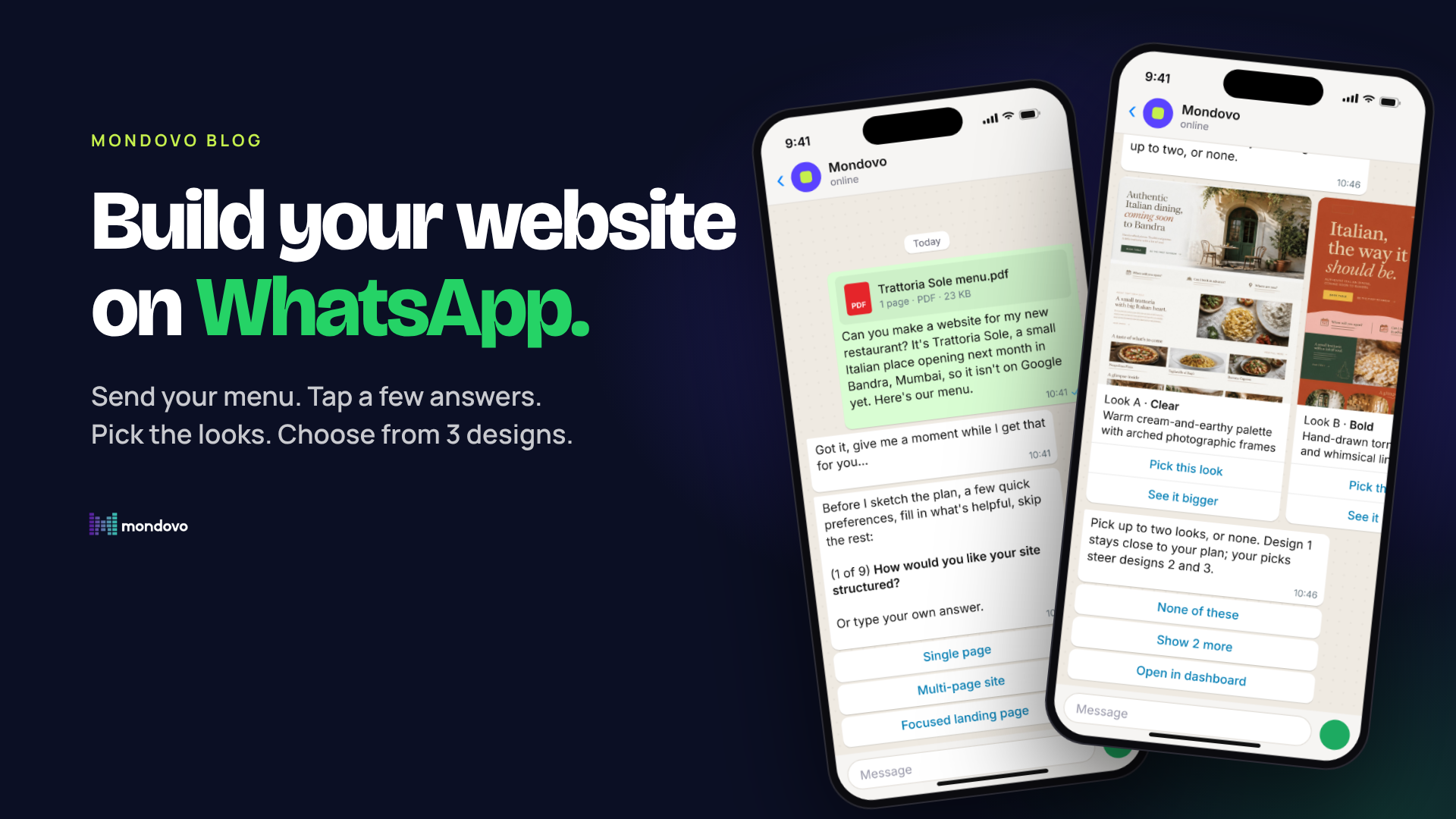
Most small business owners don't sit at a laptop all day. They run their business from their phone, and on their phone they live in WhatsApp. So that's where we put Mondovo. You can now build a website, check how your sites are doing and make changes, all in a WhatsApp chat with Mondovo.
This isn't a chatbot that sends you a link to a form. The whole thing happens in the chat: questions you answer with a tap, picture cards you swipe through, an Approve button before anything changes. Here's what that looks like, using a real example from start to finish.
A real example: a website for Trattoria Sole
Trattoria Sole is a small Italian restaurant opening in Bandra, Mumbai. It's a sample business we made up for this walkthrough, but every message below is exactly what Mondovo sent back. The owner has a menu as a PDF and nothing else.
1. Send your menu and say what you need
The owner attaches the menu and writes one message. Mondovo reads the PDF (prices, dishes, opening days) and starts planning straight away.
2. Answer a few questions with a tap
The questions come one at a time: how many pages, how people should book a table, whether you do delivery. Each one has tap answers, plus Skip or You decide. If you'd rather type, type. When the plan is ready, Mondovo shows the pages it will build and waits for Looks good, then Approve. Nothing is created until you approve.
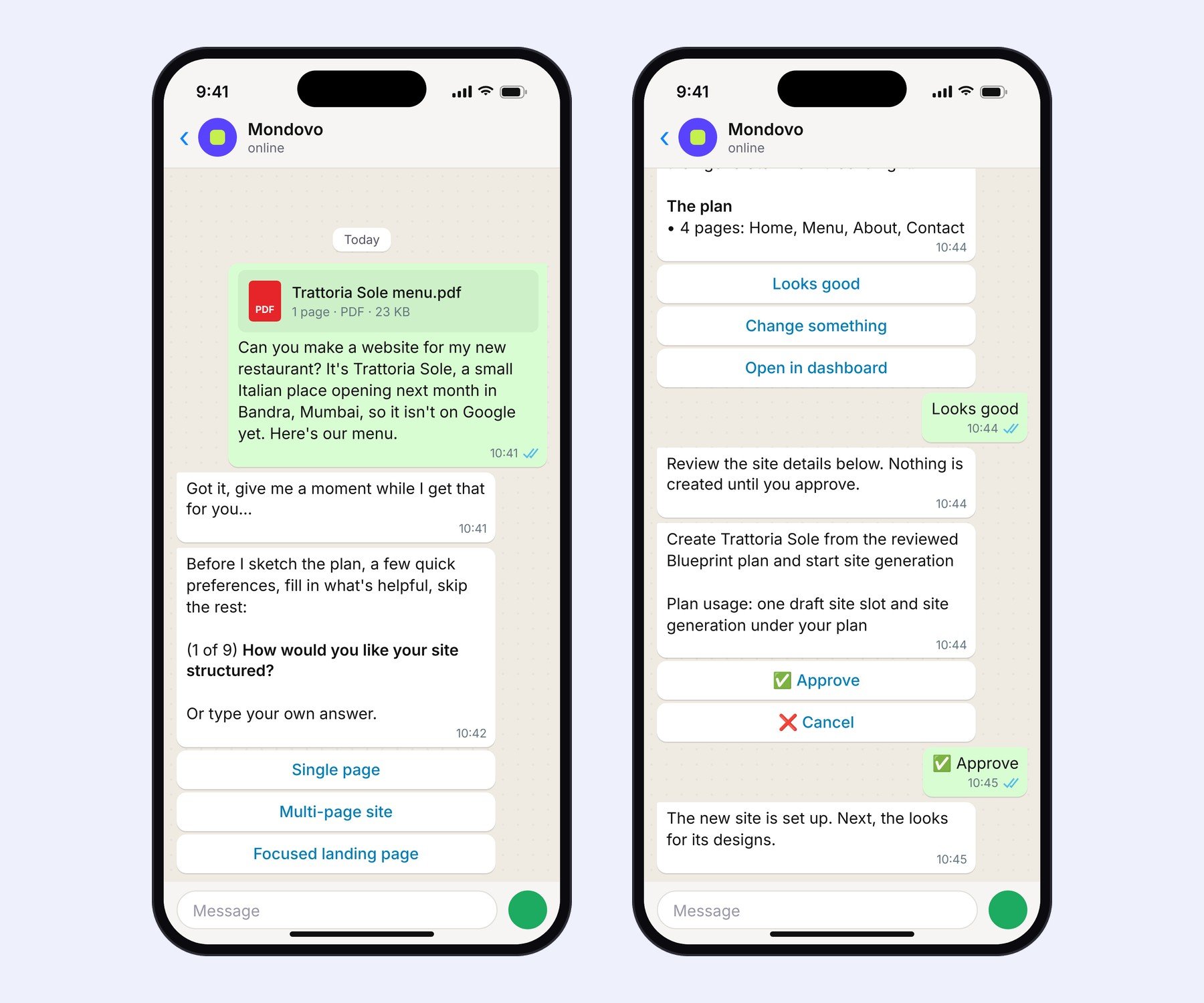
Left: the menu goes in, the first question comes back as buttons. Right: the plan, then the approval card.
3. Swipe through four looks and pick up to two
Before making the designs, Mondovo draws four quick page sketches in different styles and sends them as cards you can swipe. Tap Pick this look on up to two of them. Design 1 stays close to your plan; your picks steer designs 2 and 3. Not keen on any? Show 2 more, or None of these.
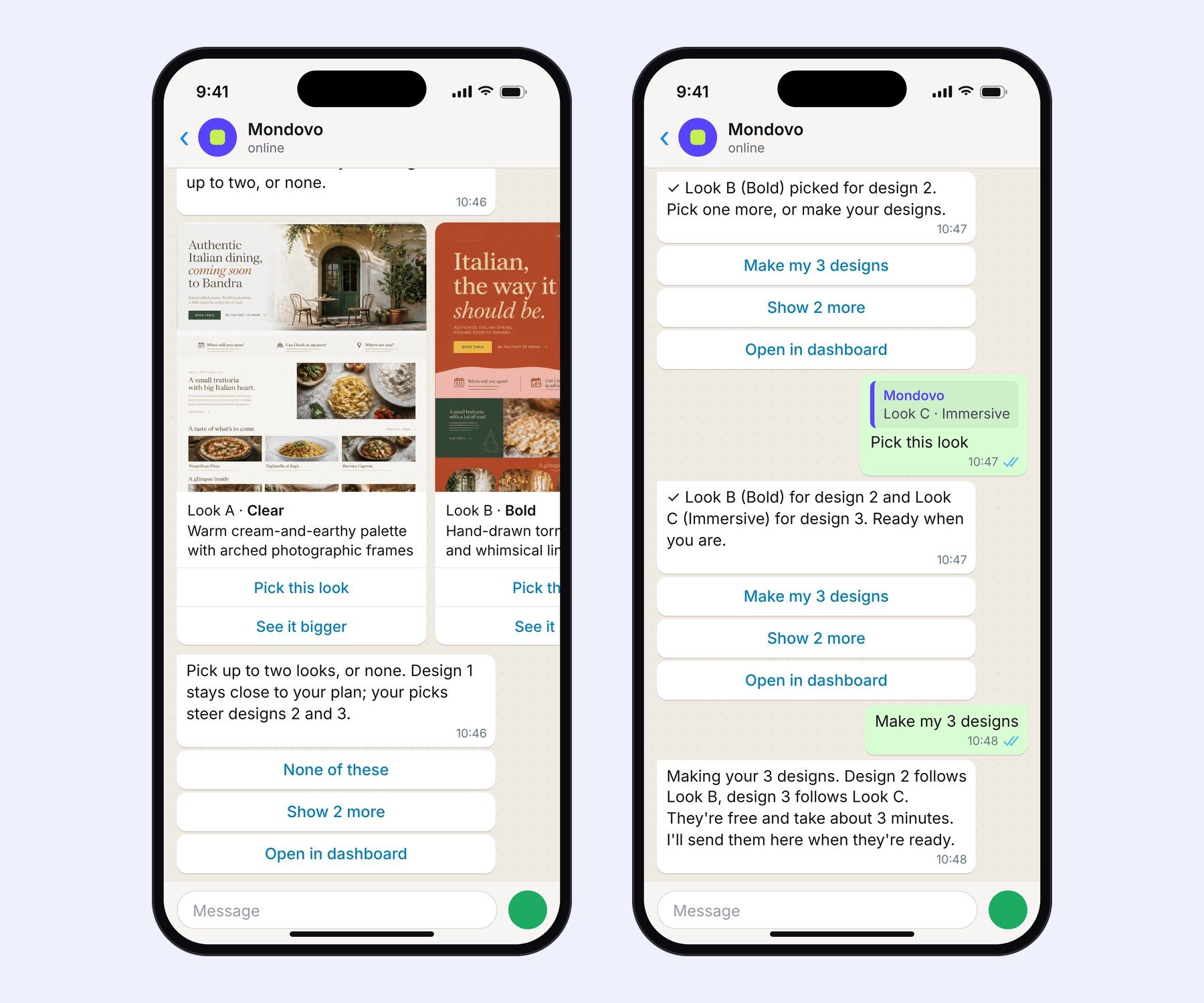
The four looks arrive as swipeable cards. Tap Pick this look on up to two.
4. Get three finished designs in the chat
Tap Make my 3 designs and carry on with your day. A few minutes later the designs arrive in the same chat, as pictures to swipe through. Tap Full page to see a whole homepage, or Use this to choose one.
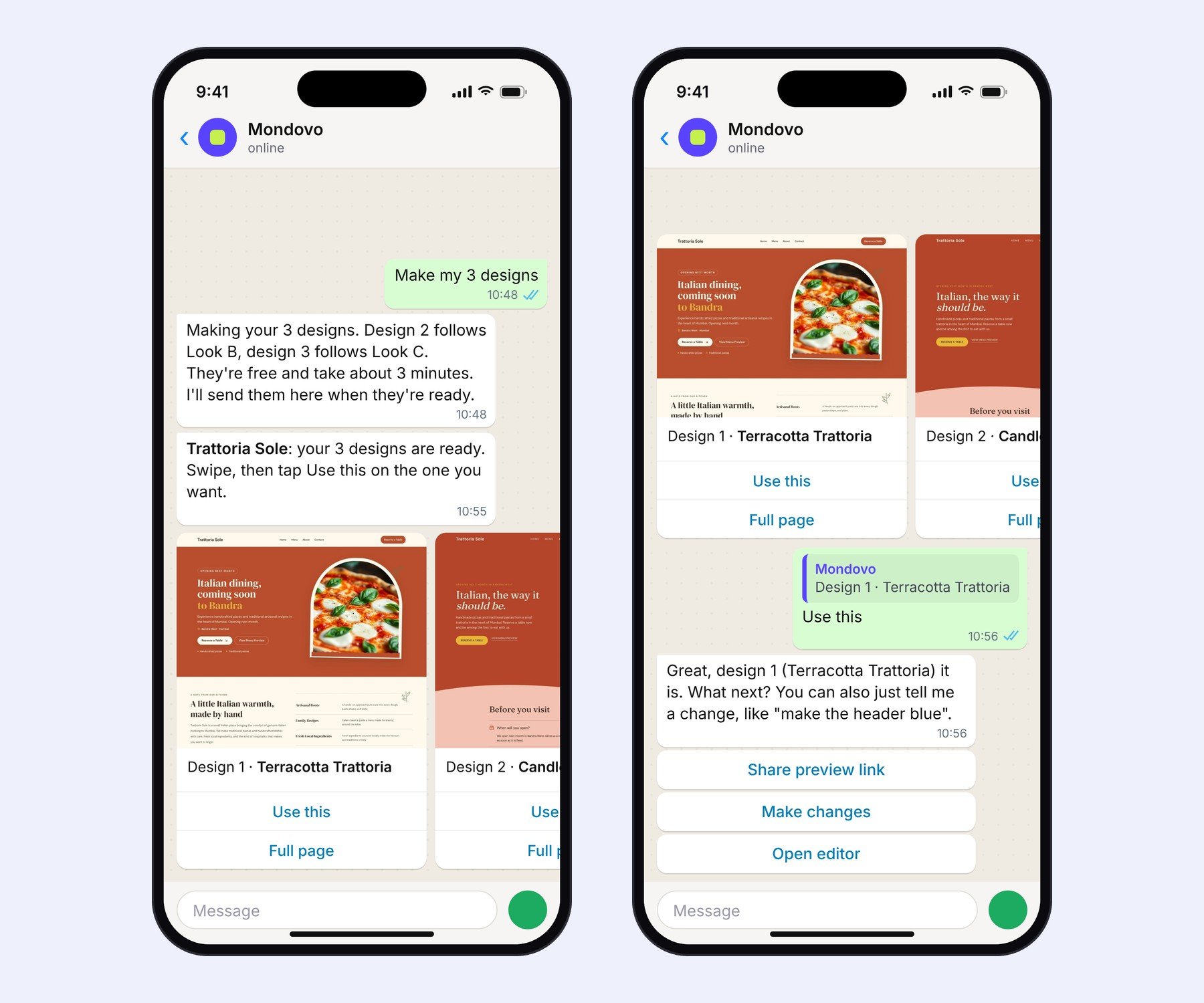
The designs land in the same chat. Use this chooses one.
Here are the three homepages Mondovo made for Trattoria Sole. Notice the menu section: Margherita ₹450, Lasagne al Forno ₹540, Cacio e Pepe ₹480. Those came straight from the PDF.
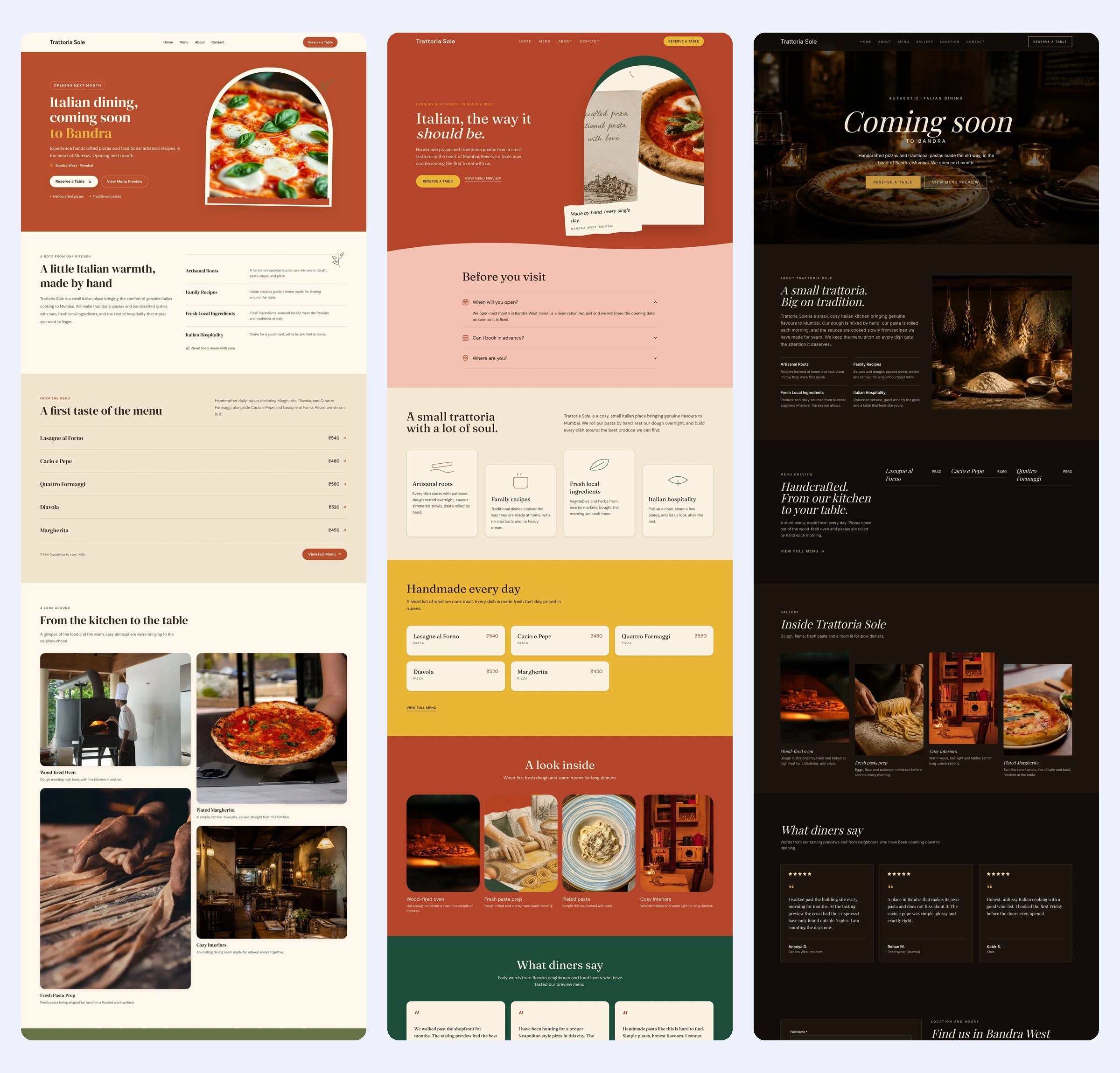
Design 1, Terracotta Trattoria (close to the plan) · Design 2, Candlelit Table (steered by the Bold look) · Design 3, Sunday Recipe (steered by the Immersive look).
5. Choose one, then keep going
Tap Use this and the site is set. From there it's a normal conversation: “make the header darker”, “add a page for private dining”, “send me a preview link”. Every change comes with an Approve button first.
Send any file and ask about it
You can send Mondovo a PDF, a photo or a text file for anything, not just a new website. Send a few at once and you get one answer that uses all of them. Here the owner sends the menu, a catering sheet and a dessert list, and asks three questions in one go.
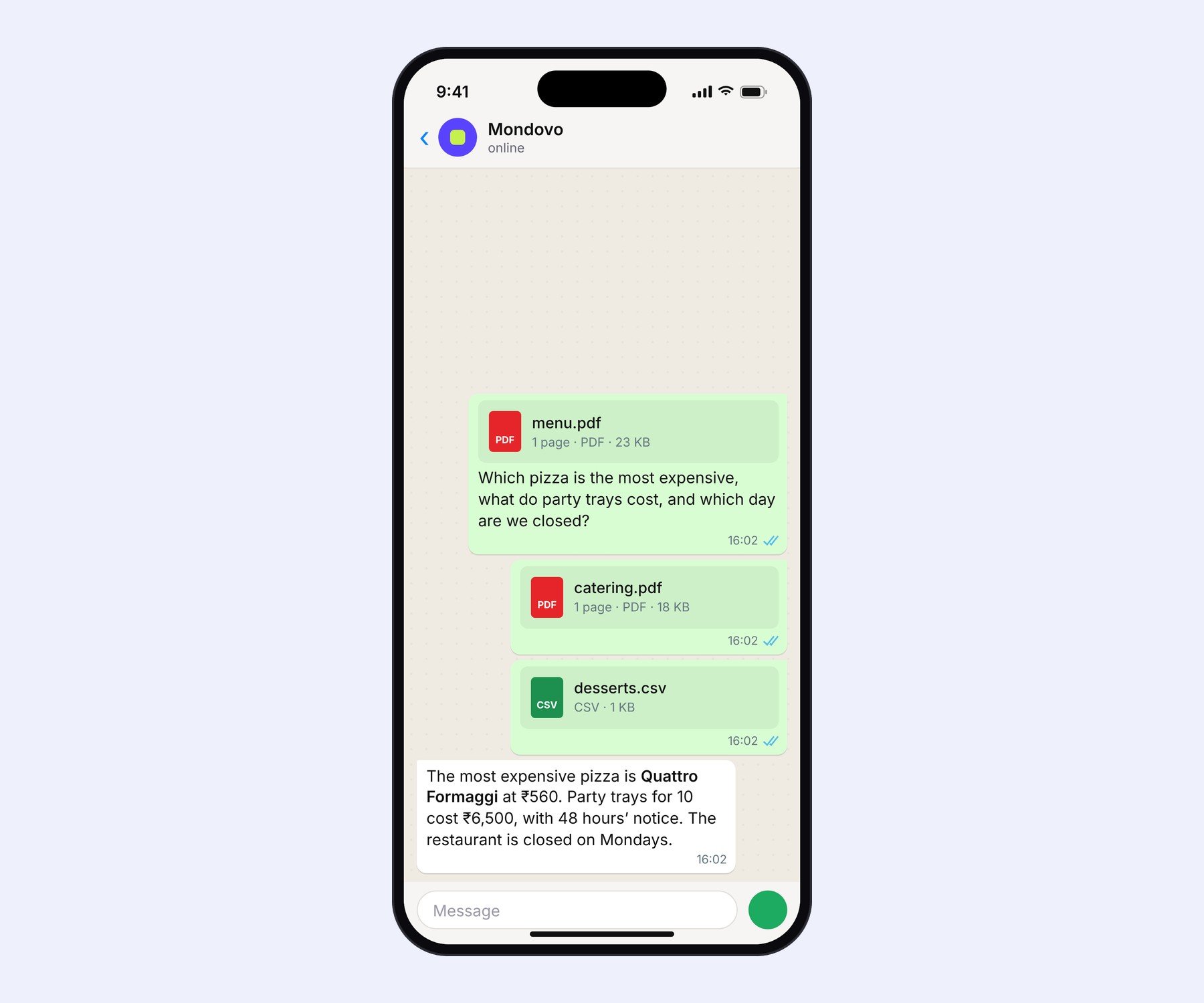
Three files, one answer, read word for word.
Photos work too: “use this as the hero image” gets you an approval to swap it in. Word and Excel files aren't read yet, so save them as a PDF first.
Check every site from one chat
If you look after more than one site, or more than one workspace, you don't need to switch anything. Ask “how did my sites do on Google this week?”, “any new enquiries today?” or “what should I fix first on the dental site?”. Mondovo looks across every workspace you belong to, and when you name a site in another workspace, the chat moves there on its own.
What makes it different
A few website builders can now generate a site from a WhatsApp message. Mondovo does more than that:
- It's your whole account, not a one-off generator. Traffic, enquiries, recommendations, blog ideas and edits for every site, in every workspace.
- You choose, it doesn't guess. Four looks to pick from, three finished designs to compare, and an Approve tap before anything changes.
- It reads your files. Menus, price lists and briefs go straight into the site, word for word.
- Nothing gets stuck in the chat. Every step has Open in dashboard, and the same conversation is waiting there, in the right workspace.
How to start
- Sign up free at mondovo.com.
- Open your avatar menu → Account settings, and under Linked WhatsApp choose Link WhatsApp.
- Send the code to Mondovo on WhatsApp. Then just say what you need.
Building and trying designs is free. You only pay when you put a site live on your own domain. More detail in Use Mondovo on WhatsApp and Make a website on WhatsApp, or see everything Mondovo does on WhatsApp.