
You can build a whole site from WhatsApp. Every question comes as buttons you tap, so there is very little to type, and you can switch to your dashboard at any step with Open in dashboard.
Steps
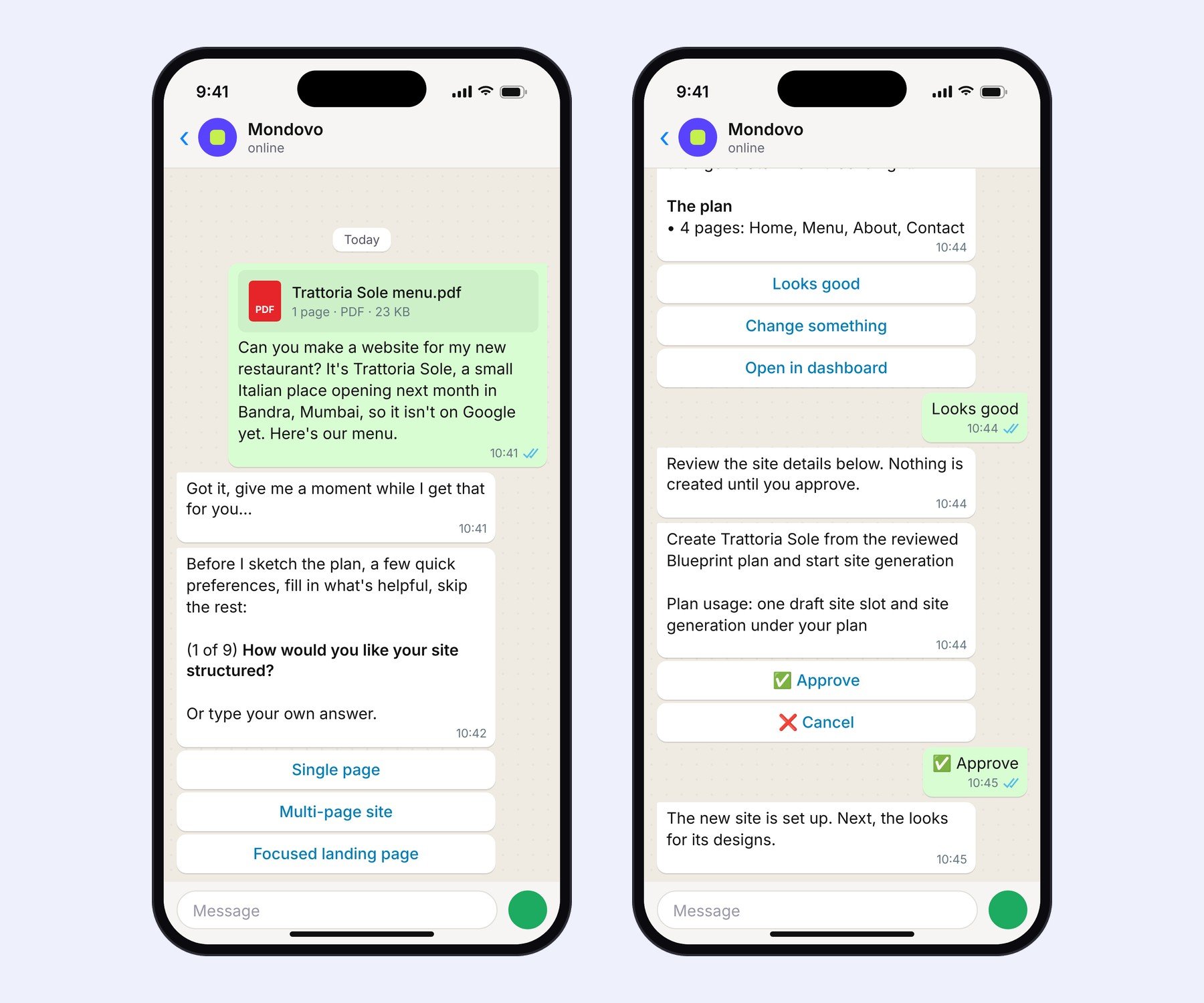
- Say what you need. For example "Make a website for my restaurant, Trattoria Sole in Bandra". You can attach your menu, a brochure or a photo, or name a site you like.
- Answer the quick questions. They arrive one at a time: tap an answer, tap Skip or You decide, or type your own. If you mention a website, Mondovo asks whether it's yours to rebuild or just inspiration.
- Check the plan. Mondovo shows the pages it will build. Tap Looks good, or Change something and say what to change.
- Approve. Nothing is created until you tap Approve.
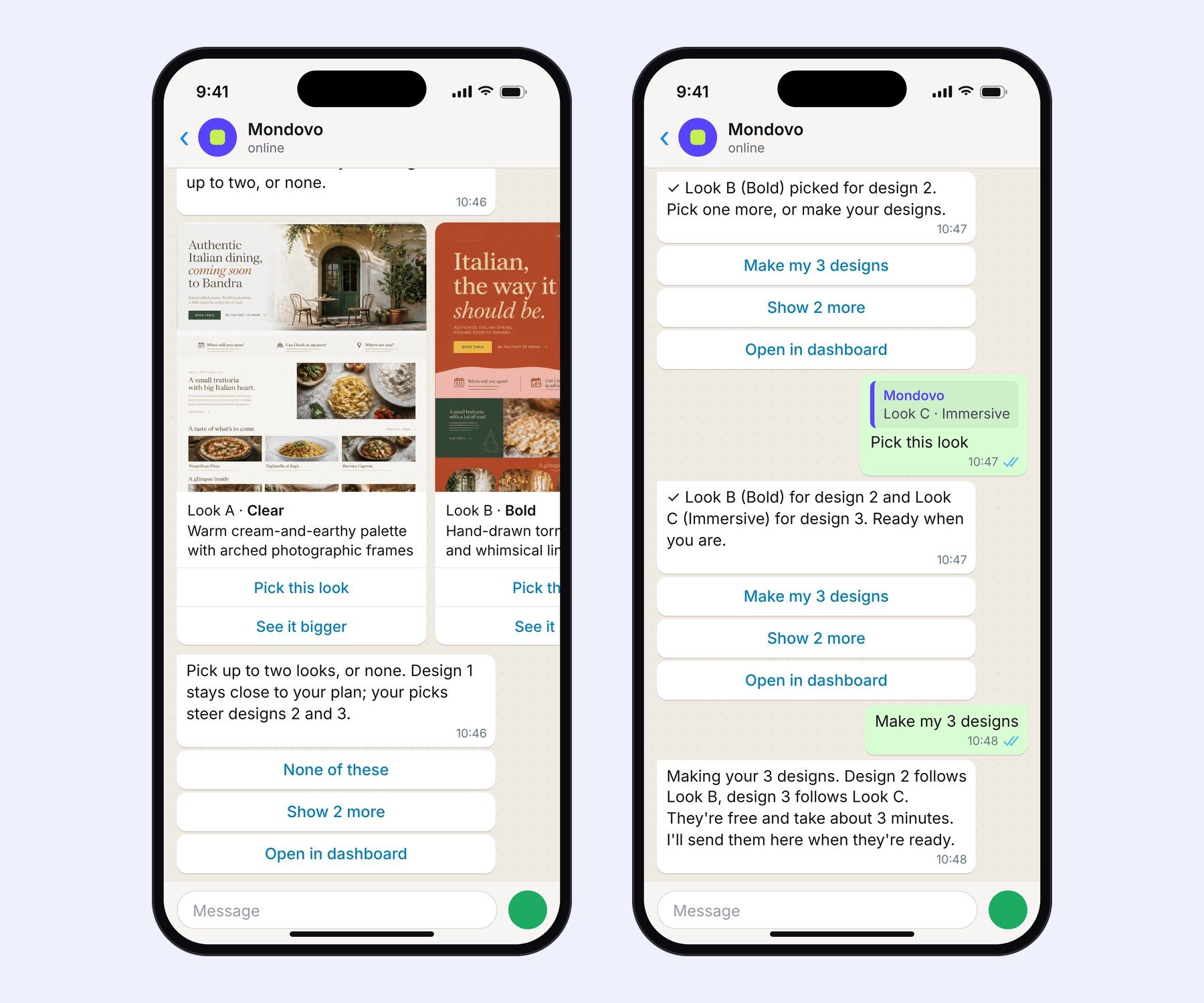
- Pick up to two looks. Mondovo draws four page sketches you can swipe through. Tap Pick this look on up to two (tap again to unpick), See it bigger for a closer look, or Show 2 more. Design 1 follows your plan; your picks steer designs 2 and 3. None of these is fine too.
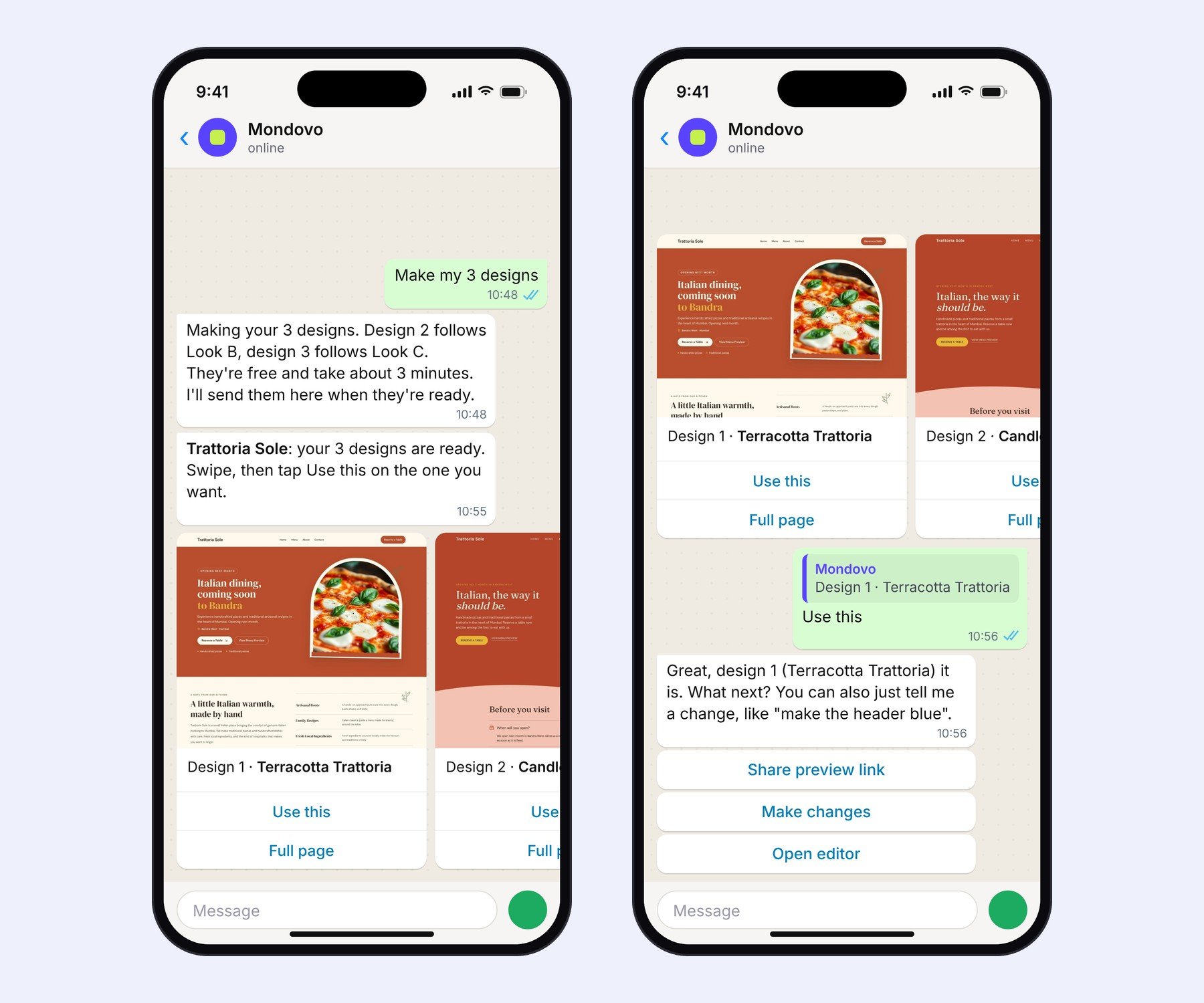
- Make your designs. Tap Make my 3 designs. They take a few minutes and arrive in the chat as pictures to swipe through.
- Choose one. Tap Use this on the design you want, or Full page to see the whole homepage first. Then ask for changes, a preview link or the editor.
Good to know
- Building and trying designs is free. You only pay when you publish a site on your own domain.
- Changed your mind halfway? Tap Leave site setup, or just say so. Nothing is created.
- Your answers and picks are the same ones the dashboard uses, so you can finish in either place.